
The Hidden Cost of Poor Document Version Control: Why Check-In and Check-Out Still Matters in Modern Workplaces
Every organization has experienced it.
A team is working on an important contract, financial report, policy document, or engineering specification. Multiple people need to contribute. Files are shared by email, stored on network drives, synchronized to cloud folders, and downloaded to local devices.
A few days later, confusion begins.
Someone asks:
“Which version should I use?”
Nobody knows.
The repository contains:
- Budget_Final.xlsx
- Budget_Final_v2.xlsx
- Budget_Approved.xlsx
- Budget_Approved_Final.xlsx
- Budget_Approved_Final_UseThisOne.xlsx
Meanwhile, several hours of work may already have been lost because one user unknowingly overwrote another person’s changes.
What appears to be a simple collaboration problem is actually a document governance issue.
Without proper version control, organizations struggle with:
- Lost productivity
- Conflicting edits
- Duplicate documents
- Compliance risks
- Audit challenges
- Reduced trust in business information
This is precisely why document version control remains one of the most important capabilities of modern document management systems.
What Is Document Version Control?
Document version control is the process of managing changes to documents over time while ensuring that users always know:
- Which version is current
- Who made changes
- When modifications occurred
- Why revisions were introduced
Version control provides a structured framework for document collaboration.
Rather than allowing files to evolve in an uncontrolled manner, version control establishes accountability and preserves document integrity throughout its lifecycle.
Think of version control as a historical record for every document.
Every change is tracked.
Every version is preserved.
Every action becomes traceable.
Why Traditional File Sharing Creates Version Chaos
Most organizations still rely on methods that were never designed for enterprise collaboration.
Email Attachments
Email remains one of the biggest contributors to version confusion.
Each recipient receives a separate copy of the document.
Once changes begin, multiple independent versions emerge.
Soon, nobody can determine which version should be considered authoritative.
Shared Drives
Network drives centralize storage but do not necessarily control editing.
Multiple users can often:
- Open the same file
- Make simultaneous changes
- Save conflicting versions
The result is uncertainty and duplication.
Cloud Storage Without Governance
Cloud platforms improve accessibility but do not automatically solve version control challenges.
Without structured editing controls, organizations continue to face:
- Overwritten changes
- Duplicate copies
- Limited accountability
- Poor visibility
Technology alone does not solve collaboration problems.
Governance does.
The Real Business Impact of Version Conflicts
Version conflicts create far more than operational inconvenience.
They directly affect business performance.
Lost Productivity
Employees waste time searching for the correct document.
Research consistently shows that knowledge workers spend a significant portion of their day locating information rather than using it.
Version confusion makes this problem worse.
Delayed Decisions
When teams cannot trust which document is current, decision-making slows down.
Approvals are delayed.
Projects stall.
Deadlines become difficult to meet.
Increased Risk
In regulated industries, using an incorrect version of a document can have serious consequences.
Examples include:
- Financial reporting errors
- Regulatory compliance violations
- Contract disputes
- Quality assurance failures
Version control becomes a risk management function as much as a productivity tool.
How Document Check-In and Check-Out Solves the Problem
One of the most effective approaches to version control is document check-in and check-out.
The concept is simple.
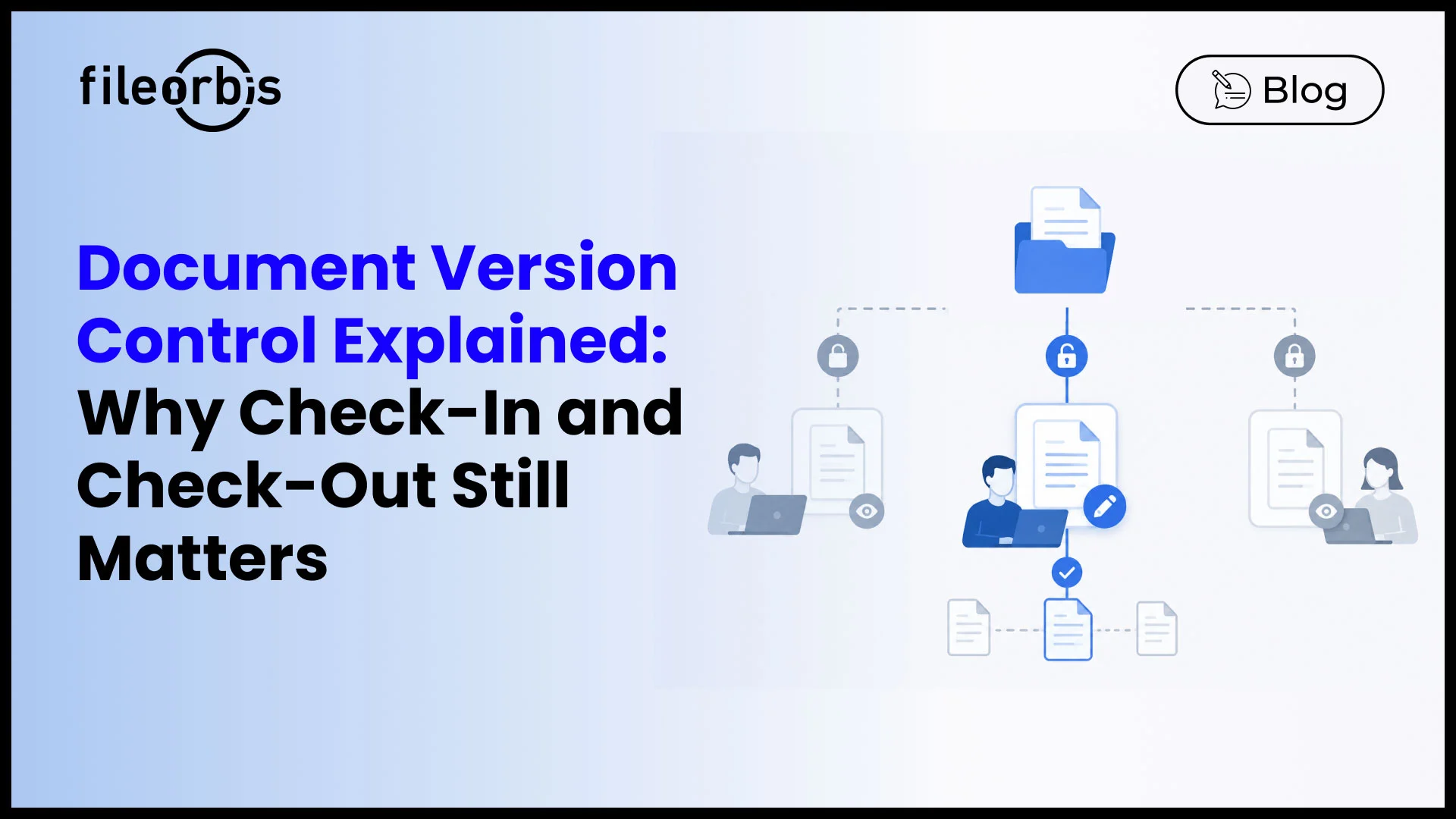
Only one person can actively edit a document at a time.
Everyone else can see the document but cannot overwrite the active editor’s work.
This eliminates the possibility of conflicting changes.
What Happens During Check-Out?
When a user checks out a document:
- The document is reserved for editing
- A lock is applied
- Other users can view the file
- Editing rights become exclusive
- Ownership becomes visible
The repository immediately establishes a single authoritative editor.
What Happens During Check-In?
When editing is complete:
- The document returns to the repository
- The lock is released
- A new version is automatically created
- The editing history is updated
- The document becomes available to others
The result is a controlled and predictable editing process.
Why Check-In and Check-Out Still Matters Today
Some organizations assume that modern collaboration tools have made check-in and check-out obsolete.
The reality is more nuanced.
Real-time co-authoring works well for many collaborative scenarios.
However, certain types of content require stricter control.
Examples include:
- Contracts
- Legal documents
- Financial reports
- Policies and procedures
- Engineering designs
- Regulatory records
For these documents, controlled editing often remains essential.
The Power of Global File Locking
One challenge modern organizations face is that content lives everywhere.
Employees access documents through:
- Desktop applications
- Web browsers
- Mobile devices
- Cloud storage
- On-premises repositories
- Synchronized folders
Traditional file locking often works only within a single application.
Modern document management platforms solve this through global file locking.
What Is Global File Locking?
Global file locking ensures that editing controls remain consistent regardless of how a document is accessed.
If a document is checked out:
- Desktop users see the lock
- Mobile users see the lock
- Web users see the lock
- Cloud users see the lock
The editing restriction follows the document everywhere.
This creates a truly controlled editing environment.
Visibility Creates Better Collaboration
Version control is not only about restrictions.
It is also about transparency.
Modern repositories provide immediate visibility into:
- Who is editing a document
- Whether a file is locked
- When the document was modified
- Which version is current
This eliminates much of the uncertainty that slows collaboration.
Instead of asking:
“Who has the latest version?”
Teams already know.
Automatic Version History: Every Change Preserved
Effective version control requires more than preventing conflicts.
Organizations also need to preserve document history.
Why Version History Matters
Every document evolves.
Requirements change.
Approvals occur.
Business decisions are made.
Version history ensures that these changes are never lost.
Automatic Version Creation
Modern document management systems automatically create a new version whenever a document is checked in.
This removes the burden of manual version tracking from users.
The repository handles it automatically.
Rollback and Recovery
Mistakes happen.
Version history allows organizations to:
- Restore previous versions
- Recover deleted content
- Compare revisions
- Reverse accidental changes
This dramatically reduces operational risk.
Governance and Compliance Benefits
Version control plays a critical role in governance.
Organizations must increasingly demonstrate accountability for their business records.
Complete Audit Trails
Version control provides visibility into:
- Who modified a document
- When changes occurred
- Which version was approved
- How content evolved over time
This information becomes invaluable during audits and investigations.
Stronger Regulatory Alignment
Industries such as:
- Financial services
- Healthcare
- Government
- Legal services
- Manufacturing
often require demonstrable control over documents and records.
Version control helps organizations satisfy these requirements while improving operational efficiency.
Common Use Cases for Controlled Document Editing
Contract Management
Legal agreements often require multiple review cycles.
Check-in and check-out prevents conflicting revisions and maintains a clear version trail.
Financial Reporting
Controlled editing protects the integrity of financial data.
Engineering Documentation
Large technical files frequently cannot be merged effectively.
Exclusive editing prevents design conflicts.
Quality Management Systems
Controlled documents require clear ownership and traceability.
Version control supports compliance and accountability.
Regulatory Records
Organizations can demonstrate exactly who edited a record and when.
Version Control and AI Readiness
As organizations adopt AI-powered search, assistants, and knowledge management systems, version control becomes even more important.
AI systems depend on trustworthy information.
If multiple conflicting versions exist, AI tools may:
- Surface outdated information
- Produce inconsistent answers
- Reduce confidence in outputs
Strong version control ensures that AI systems access authoritative and current content.
In many ways, version control is becoming a foundational requirement for responsible enterprise AI.
The Future of Document Version Control
Modern workplaces continue to become more distributed.
Hybrid work, cloud adoption, and digital transformation increase collaboration opportunities but also increase document complexity.
Future-ready organizations are investing in document management platforms that combine:
- Version control
- Check-in and check-out
- Global file locking
- Metadata-driven governance
- Auditability
- Compliance controls
- AI-ready content management
The goal is not simply to store documents.
The goal is to maintain trust in information.
Final Thoughts
Document version control remains one of the most important capabilities in enterprise document management.
Without it, organizations face duplicate files, conflicting edits, lost productivity, and compliance risks.
Document check-in and check-out provides a proven solution by ensuring that only one authoritative edit occurs at a time, while preserving complete version history and accountability.
As organizations continue to modernize their digital workplaces, strong version control will remain essential for collaboration, governance, compliance, and AI readiness.
The question is no longer whether version control is necessary.
The question is whether your organization can afford to operate without it.
What is document version control?
Document version control is the process of tracking and managing changes to documents while preserving previous versions and maintaining a clear editing history.
What is document check-in and check-out?
Check-in and check-out is a controlled editing process that allows only one user to modify a document at a time, preventing version conflicts and overwritten changes.
Why is version control important?
Version control improves collaboration, reduces errors, preserves document history, and supports compliance requirements.
What is global file locking?
Global file locking ensures editing restrictions remain consistent across desktop, web, mobile, cloud, and on-premises environments.
How does version control help AI initiatives?
Version control ensures AI systems access authoritative, current, and trustworthy content rather than outdated or conflicting document versions.

Gamze Karslı
Head of Marketing
Subscribe to our Newsletter
About FileOrbis
Aiming to manage the user and file relationship within an institutional framework, FileOrbis is constantly being developed in order to meet different industry and customer needs in terms of file management and sharing. Since 2018, FileOrbis continues to be developed with the excitement of the first day. FileOrbis focuses on high security, rich integration, ease of use and integrated management criteria.