
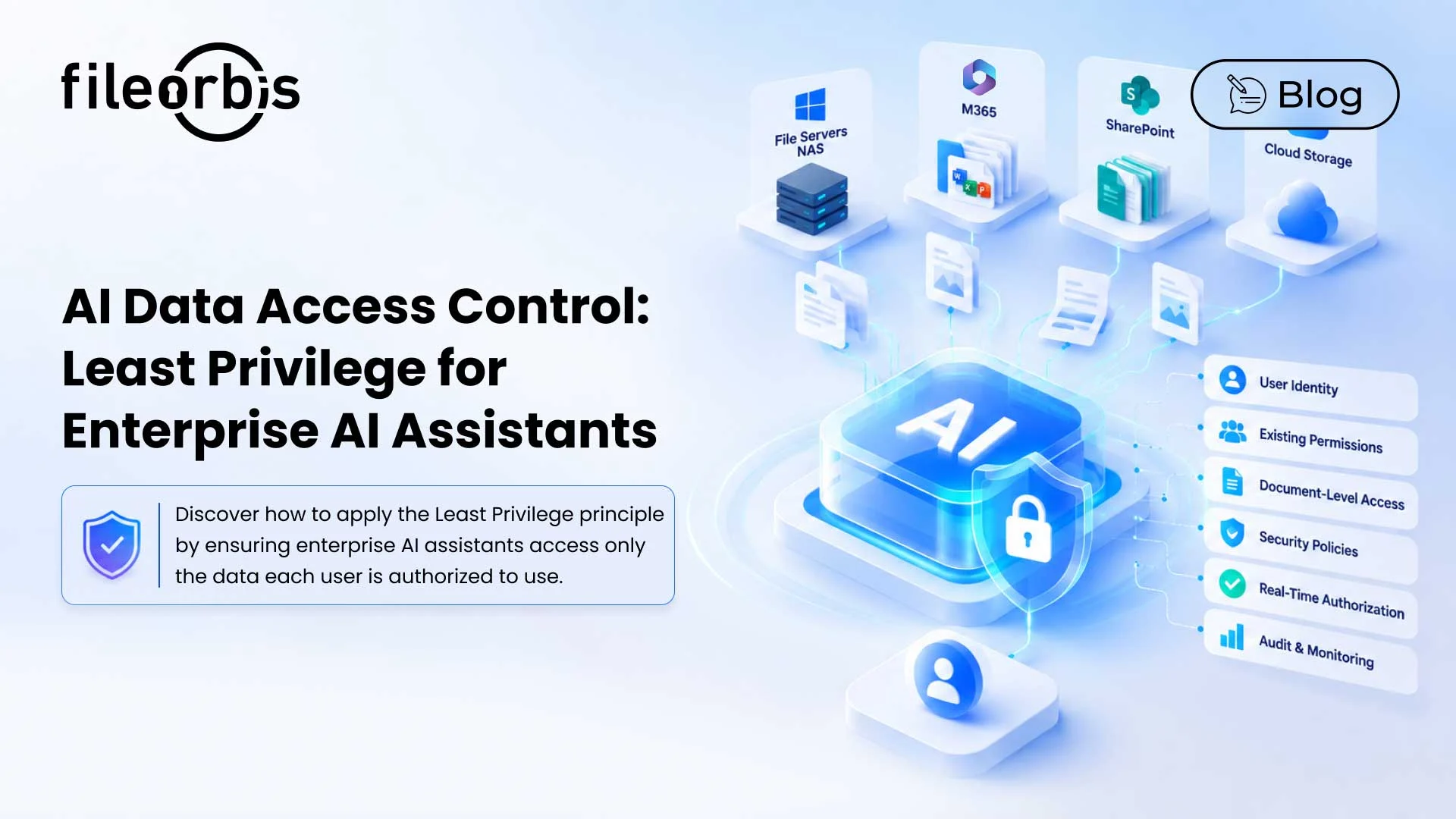
AI Data Access Control: Least Privilege for Enterprise AI Assistants
Enterprise AI assistants can search, summarize, and answer questions using enterprise files across file servers, NAS, M365, SharePoint, and cloud storage.
However, connecting AI to enterprise data raises a fundamental access control challenge: What should an AI assistant be allowed to access for each user?
An AI assistant should not have access to everything it is technically able to. AI data access control applies the principle of least privilege to AI interactions, ensuring assistants only access and use corporate content that each user is authorized to access.
What is AI Data Access Control?
AI data access control determines which enterprise content an AI system can access and use for a specific user and request.
The principle of least privilege restricts users and the processes acting on their behalf to the minimum access necessary to perform an authorized task.
For enterprise AI assistants, this means access decisions should consider:
- User identity
- Group membership
- Existing file and repository permissions
- Current security policies
- Document-level authorization
- Changes to access rights
- Content sensitivity
The goal is not to create a separate permission model for AI. Existing corporate access controls must remain effective as users interact with data through the AI assistant.
How Least Privilege Applies to Enterprise AI Assistants
In traditional file access, the user opens a specific file, and the underlying system checks whether access is allowed.
An AI assistant works differently. A single question can initiate a search across multiple repositories and gather information from various documents before generating a response.
Therefore, before enterprise content reaches the AI model, the principle of least privilege must be applied during the retrieval process.
A governed AI access flow might look like this:
- Authenticated User
- Enterprise AI Assistant
- Identity Context
- Retrieval
- Policy Decision
- Authorized Content
- AI Response
This keeps the AI assistant within the user’s authorized data boundaries throughout the interaction.
Six Controls for Least Privilege AI Access
1. User Identity Propagation
Every AI request should remain connected to the identity of the person making the request.
The retrieval layer should know:
- Who sent the request
- Which repositories and files they have access to
- Which groups or roles they belong to
Without identity propagation, an AI assistant may retrieve information by using broader system or service account privileges instead of the user’s actual access rights.
2. Preserve Existing Permissions
Organizations already control access through controls such as SharePoint permissions, NTFS permissions, Active Directory groups, and repository ACLs.
Enterprise AI assistants should respect existing permissions rather than creating a separate path to corporate information.
This keeps AI access aligned with established corporate security controls.
3. Enforce Document-Level Authorization
Repository access does not mean a user can automatically retrieve every document in that environment.
Permission-aware access evaluates authorization at the document level, so only authorized content can enter the AI context.
This is especially important when AI assistants are searching multiple repositories with different permission structures.
4. Make Policy Decisions at Query Time
Permissions alone may not provide enough context for every AI request.
Organizations may also need policies based on:
- Data classification
- Repository
- User or group
- Location
- Sensitive content
- Business context
Making access decisions at query time allows the AI assistant to consider the current user, content, permissions, and security policies rather than relying on static access assumptions.
5. Reflect Access Changes and Revocation
When enterprise permissions change, AI access should also change.
If a user leaves a project group or loses access to a sensitive folder, the AI assistant should no longer retrieve that content.
Synchronizing AI access with existing permissions helps prevent outdated access rights from becoming an unwanted pathway to restricted information.
6. Audit AI Data Access
Organizations need visibility into how AI assistants interact with corporate information.
Audit logs should capture:
- User identity
- Query activity
- Access and policy decisions
- Retrieved sources
- AI responses
- Blocked or restricted requests
This creates a trail of evidence for security investigations, governance, and compliance reviews.
Static Training vs. Real-Time Governed Access
How enterprise content reaches the AI shapes how access can be controlled.
With static training or fine-tuning, corporate information can be incorporated into the model instead of being accessed as a separate source document with its existing permissions. This can make it difficult to implement document-level authorization and subsequent revocation at runtime.
Instead, real-time governed access evaluates access when the user submits a request. It can:
- Identify the user
- Enforce security policies
- Check existing permissions
- Reflect access changes
- Retrieve only authorized content
- Log activity
For enterprise AI assistants working with evolving enterprise data and permissions, this ensures the application of the principle of least privilege at the point of access.
How FileOrbis Helps
FileOrbis extends enterprise file governance to AI through permission-aware and content-aware access, without the need for source file migration.
Organizations can:
- Enforce existing NTFS, AD, and repository permissions
- Enforce content-aware security policies
- Evaluate user access in real time
- Govern files in existing repositories
- Reflect permission changes in AI access
- Monitor AI queries and access activity
This allows organizations to connect enterprise AI assistants to corporate data while maintaining existing access controls and least-privilege principles.
In Summary
Enterprise AI assistants need the same access limits as the users they serve.
Effective AI data access control combines identity, document-level authorization, existing permissions, policy enforcement, revocation, and audit logging to ensure AI assistants only retrieve enterprise content that each user is authorized to access.
The result is AI access that remains aligned with existing enterprise security and governance controls.

Hammam Abunaser
Sales Director, MEA
Subscribe to our Newsletter
About FileOrbis
Aiming to manage the user and file relationship within an institutional framework, FileOrbis is constantly being developed in order to meet different industry and customer needs in terms of file management and sharing. Since 2018, FileOrbis continues to be developed with the excitement of the first day. FileOrbis focuses on high security, rich integration, ease of use and integrated management criteria.