
Full-Text Search vs. Metadata Search for Enterprise Documents
Finding an enterprise document usually begins with one of two things: users either remember what the document says or they know something about it.
This distinction defines the difference between full-text search and metadata search.
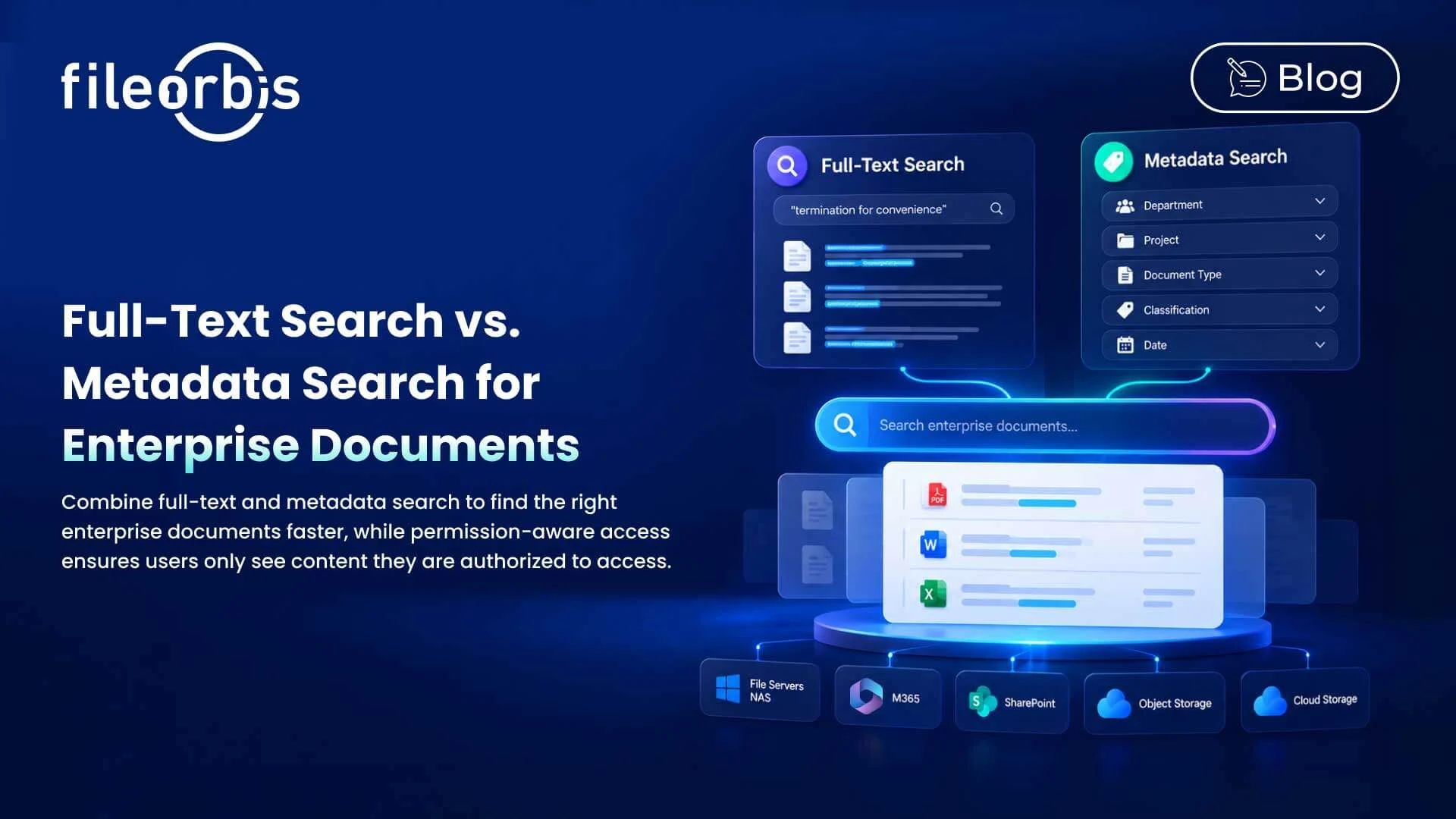
Full-text search searches for words and phrases within the document content. Metadata search uses attributes such as department, owner, document type, project, classification, or date.
When comparing full-text search and metadata search, neither approach is universally better. They solve different discovery problems. For enterprise environments, combining both with filters and permission-aware access provides more precise and secure document discovery.
What Is Full-Text Search?
Full text search indexes the textual content within documents and allows users to search for specific words or phrases.
For example, a user searching for the phrase “termination for convenience” can find documents containing that phrase without knowing the owner, folder, file name, or storage location.
Full-text search is particularly useful in the following areas:
- Policies and procedures
- Contracts and legal documents
- Company knowledge bases
- Project documents
- Technical documents
- Reports and research
It works best when users remember what a document says rather than how it is categorized.
What Is Metadata Search?
Metadata search finds documents using structured information associated with a file.
Common metadata includes:
- Department
- Project
- Owner
- Document type
- File type
- Classification
- Precision level
- Specific business attributes
- Creation or modification date
For example, a user could search for documents related Legal contracts related to Project Phoenix from 2026 without knowing the exact words within them.
Metadata search is particularly effective when users know the business context of the document.
Full-Text Search vs Metadata Search: Key Differences
The main difference between full text search and metadata search is what each method searches for and how users find the information.
Full-text search:
- Searches for text within documents
- Gives the best results when users know specific words or phrases
- Uses textual relevance to identify matching documents
- Typically returns relevance-ranked results
- Requires text extraction and indexing
- Highly suitable for content discovery and research
Metadata search:
- Searches document attributes instead of document content.
- Provides the best results for users who know details such as project, document type, owner, date, or classification.
- Uses structured criteria to narrow down results.
- Typically returns finely filtered results.
- Relies on metadata capture and normalization.
- Suitable for structured document discovery, governance, and filtering.
The simplest distinction is content and context.
Full-text search can answer questions such as:
“Which documents mention this?”
Metadata search can answer questions such as:
“Which documents have these characteristics?”
How Data Preparation Differs
Both approaches rely on indexing, but they prepare different information for searching.
Full-text search typically requires:
- Extracting text from supported documents
- Creating searchable indexes
- Processing words and phrases
- Maintaining index synchronization as files change
Scanned documents, unsupported formats, image-based files, or encrypted content may require additional processing before their content becomes searchable.
Metadata searches rely on structured attributes from sources such as:
- Document repositories
- File systems
- Classification engines
- Business applications
- Automatic tagging
Metadata quality is important. Inconsistent or missing attributes can limit search accuracy; therefore, automated classification can help organizations preserve useful metadata at scale.
How Performance Differs
Search performance depends on the architecture, repository scale, indexing strategy, and query complexity.
Full-text search may require analyzing search terms, identifying matching documents, and calculating relevance across major indexes.
Metadata filters work against structured fields such as:
- Department
- Document type
- Project
- Date
- Classification
Instead of relying on only one of these methods, enterprise search may use metadata and full-text relevance to narrow the search scope and identify the most useful documents within it.
Why Enterprise Search Works Better with Both
Enterprise users rarely search with only one type of information.
For example, a user might search for a specific phrase within documents and then narrow the results by project, classification, document type, or date.
Full-text search identifies documents containing relevant content, while metadata and filters narrow the results based on business context.
This combination helps users find more relevant documents without needing to know exactly where the documents are stored.
Search Results Must Respect Permissions
Better search should never mean broader access.
Company search can encompass sensitive contracts, financial records, technical documents, HR files, and confidential project data. Therefore, search results need to respect the same access controls that protect essential files.
Permission-aware search and security trimming can prevent unauthorized users from accessing restricted information:
- File names
- Metadata
- Summaries
- Search summaries
- Previews
Centralized search should improve discovery without bypassing existing file permissions.
How FileOrbis Helps
FileOrbis enables enterprise search across connected on-premises and cloud storage, while allowing content to remain in the existing storage environment.
Organizations can combine:
- Full-text search within document content
- Metadata search using document attributes
- Combined queries using content and metadata
- Faceted filtering to narrow down results
- Federated search across distributed storage
- Security trimming based on existing access rights
This allows users to search across file servers, NAS, M365, SharePoint, object storage, and cloud storage without first moving content to a new central storage location.
In Summary
Comparing full-text search with metadata search should not result in preferring one method over the other.
Full-text search helps users find what documents contain. Metadata search helps them find documents based on what they are and their business context.
Combining full-text search, filters, metadata, and permission-aware search give enterprises a more precise and secure way to find information in distributed repositories.
The goal is not to return more results, but to help each user find the right authorized document faster.

Mert Topaloğlu
Senior Presales Consultant
Subscribe to our Newsletter
About FileOrbis
Aiming to manage the user and file relationship within an institutional framework, FileOrbis is constantly being developed in order to meet different industry and customer needs in terms of file management and sharing. Since 2018, FileOrbis continues to be developed with the excitement of the first day. FileOrbis focuses on high security, rich integration, ease of use and integrated management criteria.