
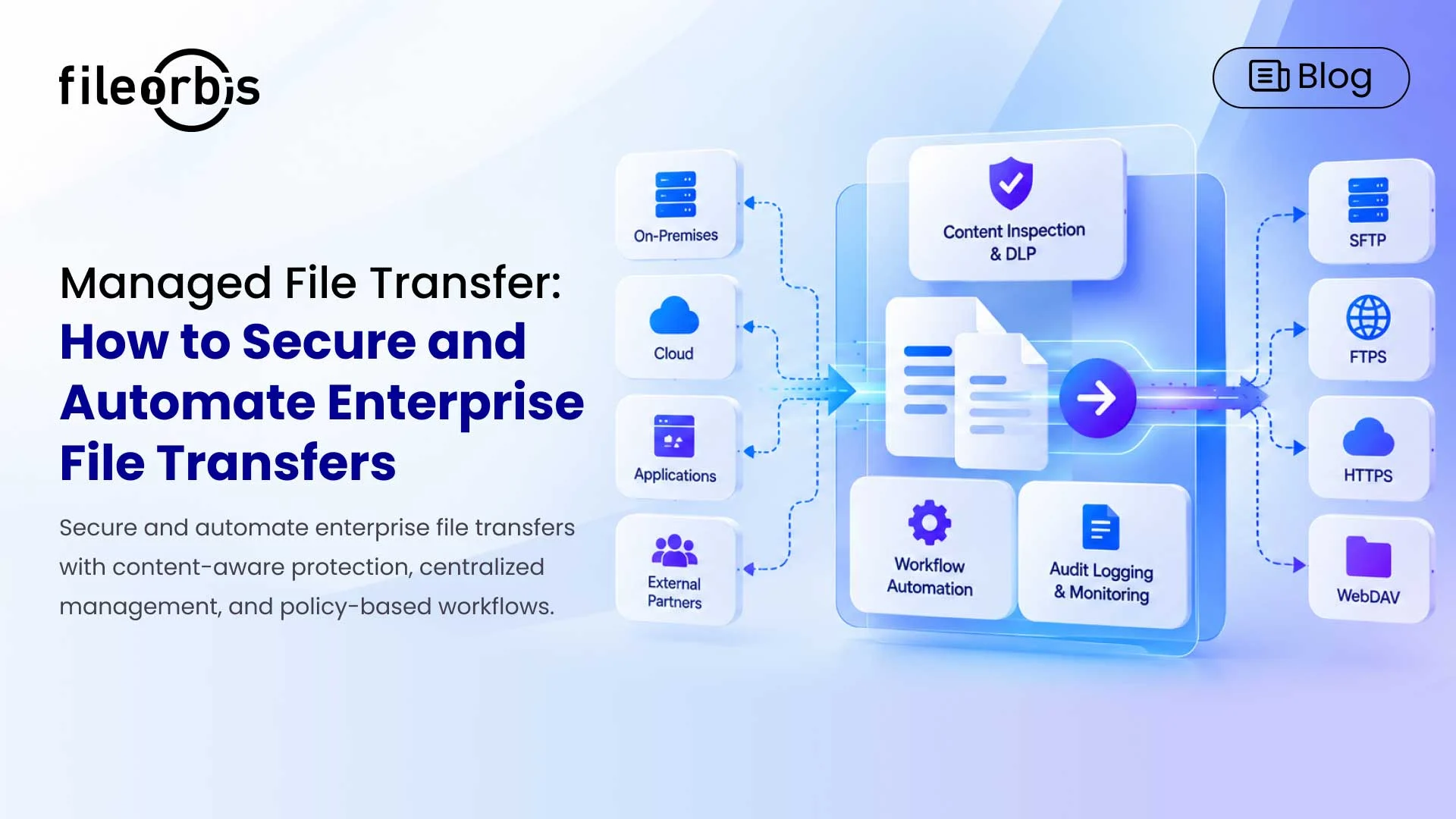
Managed File Transfer: How to Secure and Automate Enterprise File Transfers
Enterprise file transfers connect business applications, internal systems, and external partners. However, relying on standalone SFTP servers, disconnected workflows, and manual scripts can create operational complexity and security gaps.
Managed file transfer (MFT) addresses these challenges through centralized management, security controls, and automation. For enterprises handling sensitive data, effective file transfer management should also include content inspection and policy enforcement.
What is Managed File Transfer?
Managed file transfer (MFT) is a technology approach that enables organizations to securely exchange files between systems, users, external partners, and applications.
Unlike basic file transfer protocols, managed file transfer solutions provide broader operational capabilities:
- Secure transmission: Protect files exchanged between systems and organizations.
- Centralized management: Monitor and control transfers across multiple environments.
- Workflow automation: Schedule transfers and execute predefined processes.
- Access control: Restrict file exchanges to authorized users and applications.
- Audit logging: Record transfer activities for security and compliance purposes.
These capabilities help organizations standardize file transfer processes and reduce manual administration.
Why Traditional File Transfer Processes Create Challenges
Many enterprises still rely on legacy SFTP servers, separate transfer tools, and custom scripts. Although these methods support secure transmission, they often lack consistent governance.
Common challenges include:
- Manual administration: Custom scripts increase maintenance requirements and operational errors.
- Limited visibility: IT teams struggle to track file movement across disconnected systems.
- Security gaps: Sensitive or malicious files may move without appropriate inspection.
- Inconsistent controls: Different transfer environments apply separate access and security policies.
- Audit complexity: Fragmented logs make investigations and compliance reporting more difficult.
Addressing these challenges requires a coordinated approach to enterprise file transfer management.
Key Capabilities of Secure Managed File Transfer Solutions
Automated File Transfer Workflows
Organizations frequently exchange transaction records, operational files, and reports through recurring processes.
Managed file transfer automation enables teams to:
- Trigger transfers based on predefined events.
- Schedule recurring file transfers.
- Route files to approved destinations.
- Reduce manual scripting and administrative tasks.
This increases process consistency and reduces the risk of human error.
Content-Aware Security and Threat Protection
Encryption protects files during transmission but does not determine whether their contents can be exchanged securely.
Secure managed file transfer solutions should provide:
- Content inspection: Identify sensitive information within transferred files.
- Malware scanning: Detect potentially malicious content.
- Data Loss Prevention (DLP): Restrict transfers that violate security policies.
- Sandbox and CDR integration: Analyze suspicious files and reduce file-based threats.
These controls help organizations protect sensitive information beyond encryption at the transport level.
Integration with Existing Enterprise Infrastructure
Managed file transfer solutions should connect existing applications and storage environments without disrupting established operations.
Key requirements include:
- Support for enterprise file transfer protocols.
- Integration with identity management systems.
- Connectivity with file servers, NAS, and cloud storage.
- API-based connectivity for workflow and security automation.
Centralized Monitoring and Audit Logging
Security and IT teams need visibility into transfer activities to identify operational issues and investigate security incidents.
Centralized monitoring supports:
- Visibility into system and user activities.
- Transfer status tracking and failure detection.
- Investigation of unauthorized transfer attempts.
- Audit reporting for internal and regulatory reviews.
Common Enterprise Managed File Transfer Use Cases
Managed file transfer supports business processes that depend on reliable exchanges of sensitive or operational data.
- Financial services: Exchange payment files, regulatory reports, and transaction records.
- IT operations: Automate application-to-application transfers and scheduled reporting.
- Manufacturing: Share operational data and production files with suppliers.
- Healthcare: Transfer confidential documents between authorized systems and service providers.
These use cases require a balance between operational efficiency, accountability, and security.
How FileOrbis Helps
FileOrbis extends traditional SFTP workflows with centralized management, content-aware security, and automation.
Integrating with existing enterprise infrastructure, it enables organizations to strengthen file transfer governance without replacing established systems.
Key capabilities include:
- Content-aware protection: Apply sensitive data inspection and DLP policies to file transfers.
- Multi-protocol connectivity: Support SFTP, HTTPS, FTPS, and WebDAV, with connections to enterprise storage environments.
- Advanced threat protection: Integrate sandbox, CDR, antivirus, and ICAP-based security controls.
- Workflow automation: Support scheduled transfers, approvals, policy-based routing, and post-transfer actions.
- Flexible deployment: Operate across on-premises, private cloud, and hybrid environments without requiring data migration.
- Centralized visibility: Monitor transfer activities through SIEM integration and audit logging.
FileOrbis helps enterprises modernize file transfer operations while maintaining security and control over existing infrastructure.
In Summary
Managed file transfer goes beyond encrypted file transmission by combining centralized control, automation, and security.
For enterprises, the priorities are:
- Protecting sensitive data through content-aware security.
- Automating file exchanges to reduce operational complexity.
- Integrating securely with existing enterprise systems.
- Maintaining visibility and auditability across transfer activities.
FileOrbis brings these capabilities together, helping organizations manage enterprise file transfers without unnecessary infrastructure changes.

Gamze Mat
Product Manager
Subscribe to our Newsletter
About FileOrbis
Aiming to manage the user and file relationship within an institutional framework, FileOrbis is constantly being developed in order to meet different industry and customer needs in terms of file management and sharing. Since 2018, FileOrbis continues to be developed with the excitement of the first day. FileOrbis focuses on high security, rich integration, ease of use and integrated management criteria.