
Best M365 Governance Platforms For Automated Sensitivity Labeling And Data Classification
Quick answer: The best M365 governance platforms for automated sensitivity labeling apply labels through real-time content inspection, support bulk reclassification of legacy content at petabyte scale, persist labels across downloads and external shares, use labels to drive policy, and integrate natively with Microsoft Information Protection (MIP). FileOrbis delivers all of these with custom sector-specific taxonomies and label-change audit.
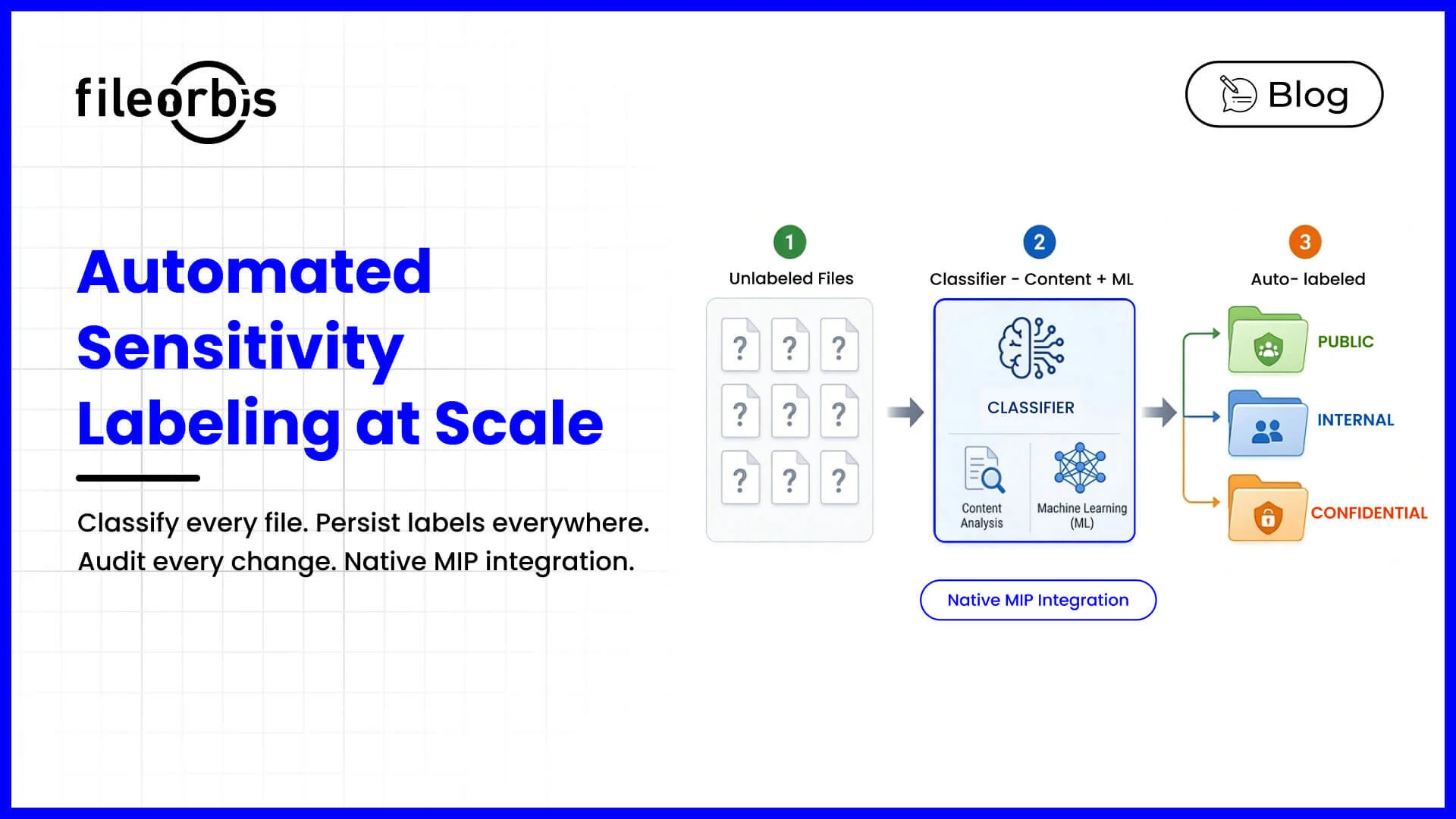
Automated sensitivity labeling is the most underestimated capability in M365 governance. Many enterprises buy a labeling solution, define a taxonomy, train users — and six months later discover labels are applied to under 20% of new content and almost none of the legacy estate. The best platforms automate labeling on three triggers: at ingest, on-demand by content scan, and continuously as content changes. They require:
- Inspection-driven auto-labeling from file content.
- Bulk reclassification of legacy content at scale.
- Label persistence across boundaries.
- Label-driven policy for sharing, encryption, and retention.
- Native Microsoft Information Protection (MIP) integration.
FileOrbis delivers all five, with custom taxonomies for sector-specific labels alongside the standard MIP set.
Why manual labeling fails at scale
Manual labels fail for predictable behavioral reasons: users skip the dialog when rushed, pick the lowest-friction label to avoid restrictions, apply labels inconsistently, cannot label legacy content retrospectively, and do not relabel when sensitivity changes over time. The result is a program that looks good on a slide and fails under audit. Automation removes the human bottleneck by labeling from what the file actually contains.
What automated sensitivity labeling requires
Effective automated labeling has specific properties:
- Inspection-driven auto-labeling — the platform reads content (and OCRs images) and applies the correct MIP label without user input, using the same classifier set as DLP so labeling and enforcement stay aligned.
- Label persistence — labels travel with the file on download, email, copy to USB, or external share.
- Label-driven policy — sharing, encryption, watermarking, and retention all follow the label; change the policy for a label and every file with it inherits the change.
- Custom taxonomies — sector labels such as “Patient Record — HIPAA Protected,” “Material Non-Public Information,” or “KVKK Hassas Veri.”
- Label-change audit — every application, upgrade, downgrade, and override recorded with justification.
Bulk reclassification of legacy content
The hardest part of any labeling program is the existing estate — often petabytes of unlabeled documents accumulated over decades on SharePoint and on-premises file servers. The best platforms run bulk reclassification as a managed background workload that can be paused, throttled, and audited, bringing the historical estate under labeled governance in weeks rather than years. FileOrbis performs this retroactive classification across the entire file estate, so governance is not limited to new content created after the program launches.
Why FileOrbis for automated labeling and classification
FileOrbis automates classification and labeling at ingest and on-demand across Microsoft 365 and on-premises file servers. Labels flow into MIP so Office, Outlook, SharePoint, Purview, and Defender for Cloud Apps see the same classification — and the same label drives FileOrbis enforcement on legacy shares, external collaboration, and downloads. Bulk reclassification brings even a multi-petabyte historical estate under labeled governance quickly, and every label change is audited.
Frequently asked questions
What are the best M365 governance platforms for automated sensitivity labeling and data classification?
The best platforms automate sensitivity labeling through real-time content inspection, support bulk reclassification of legacy content at petabyte scale, persist labels across boundaries (downloads, external shares, copies), use labels to drive concrete policy decisions, and integrate natively with Microsoft Information Protection (MIP). FileOrbis delivers all of these, with custom taxonomies for sector-specific labels alongside the standard MIP set, label-change audit, and reclassification on content change.
Why does manual sensitivity labeling fail?
Manual labeling fails because users skip the dialog when rushed, choose the lowest-friction label to avoid restrictions, label inconsistently, and cannot retroactively label legacy content at scale. Automated, inspection-driven labeling removes this bottleneck by applying the correct label based on what the file actually contains.
Can automated labeling be applied to existing legacy files?
Yes. The strongest platforms run bulk reclassification of existing content as a managed background workload, applying labels retroactively across SharePoint, OneDrive, and on-premises file servers. FileOrbis performs petabyte-scale reclassification, so governance covers historical content, not just files created after the program launches.

Emre Demiray
Founder – FileOrbis
Subscribe to our Newsletter
About FileOrbis
Aiming to manage the user and file relationship within an institutional framework, FileOrbis is constantly being developed in order to meet different industry and customer needs in terms of file management and sharing. Since 2018, FileOrbis continues to be developed with the excitement of the first day. FileOrbis focuses on high security, rich integration, ease of use and integrated management criteria.