

FileOrbis Drive

Secure Operational Data Access for Distributed Workforces.


Secure Caching

Cache documents.


Central Governance

Enforce policies.


Operational Continuity

Maintain efficiency.


Familiar Experience

Standard workflows.

Trusted by Content-Critical Businesses Worldwide

Key Benefits

Operational Visibility in the Field
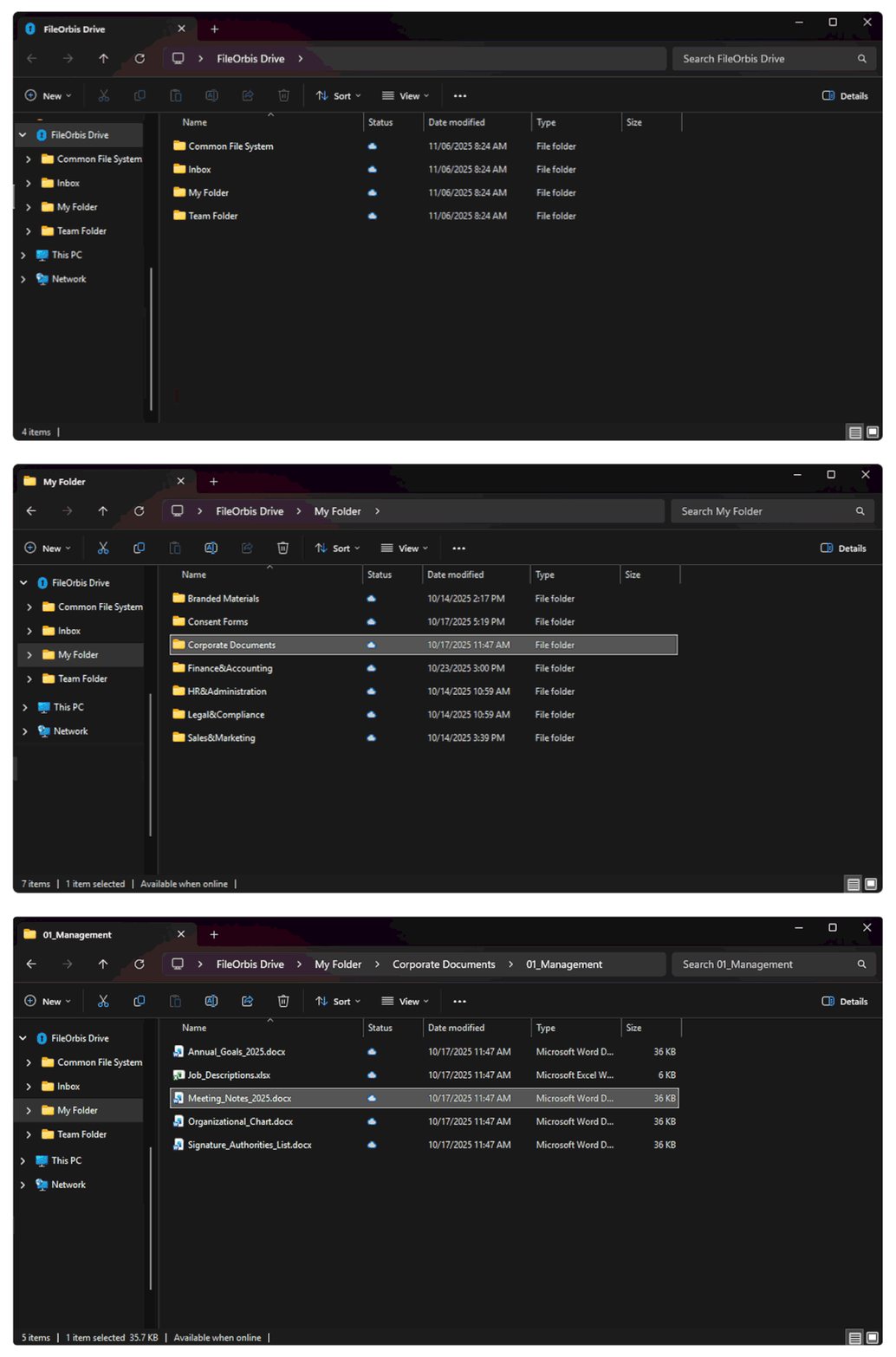
FileOrbis Drive integrates directly with your operating system file explorer, giving field teams instant visibility and seamless offline access to heavy operational documents without changingtheir familiar workflows.

Core Capabilities


Desktop File Experience

The solution integrates seamlessly with the operating system file explorer, allowing distributed teams to open, edit, create, and upload operational data using standard file management workflows.


Secure Local Caching

Frequently accessed procedures, maintenance records, and technical guidelines are stored in a secure local cache, enabling fast access while fully
maintaining enterprise security
policies.


Centralized Policy
Governance

All synchronized and cached files remain strictly governed by the central platform, enabling continuous access control, rolebasedsecurity, and comprehensive audit logging.


Resilient File
Synchronization

The platform eliminates the need for unstable network dependencies by securely preserving offline edits and deploying automatic
updates the exact moment
connectivity is re-established.

Use Cases


Target Environments
& Workforces

Operational teams performing
critical tasks across field locations,
industrial facilities, logistics hubs,
and remote operational sites.


Critical Document
Management

Enables instant and secure access to heavy operational files including technical documentation, maintenance records, inspection reports, procedures, and safety guidelines.


Overcoming Network
Dependencies

Bridges the gap by allowing staff to open, edit, and manage critical corporate files seamlessly without relying on traditional office networks or stable internetconnectivity

How It Works

Hear From Our Customers

“FileOrbis gave us a single pane of glass across on-prem and cloud content. We reduced over-permissioned access fast and finally had audit-ready visibility.”

Security & Risk Lead, Enterprise Organization

“External sharing used to be our biggest leak point. With content-aware policies and full traceability, we enabled collaboration without losing control.”

IT Manager, Regulated Industry

“We consolidated multiple tools into one governed platform. Users got faster access, and our compliance reporting became dramatically simpler.”

Head of Infrastructure, Global Company

Ready for Secure, Offline-Capable Document Access?

Modernize document access for your distributed workforce and support the digital transformation of your operational workflows while maintaining centralized governance.

Frequently Asked Questions

How can we help you?

It mounts your federated cloud and on-premises storage as a virtual network drive, allowing you to view and stream terabytes of files instantly without downloading them to your local computer.

Yes. Users can mark specific files or folders for offline access, and any changes made offline are automatically synchronized in both directions once connectivity is restored.

Every file transaction through FileOrbis Drive is subjected to strict security checks, integrating with corporate systems like DLP, Anti-Malware, Sandbox, and CDR sequentially and simultaneously to block threats.

No. It integrates directly into the user’s operating system (Mac Finder or Windows File Explorer), allowing employees to manage corporate files using the familiar local folder experience.

Request FileOrbis Demo Today

Do you want to contact one of our representatives to get information or see FileOrbis in action? Schedule a custom live demo of Fileorbis made just for you.