
Secure Digital Workplace: Remote File Access and Access Control without Losing Governance
Organizations with remote and hybrid workforces need more than traditional file sharing or VPN access. They need a secure digital workplace that provides controlled access to corporate files without compromising governance, security, or regulatory compliance. Choosing the right platform depends on more than enabling remote access. It also requires understanding how the platform integrates with existing IT infrastructure, enforces access control, and extends governance into AI-powered workplaces.
The remote-work problem for regulated organizations
When workforces went remote, most organizations reached for cloud file sharing or VPNs. Both create problems for regulated enterprises. Cloud sharing moves sensitive data out of controlled infrastructure. VPNs expose the whole network and are clumsy for file work. The result is shadow IT, broad access, and audit gaps.
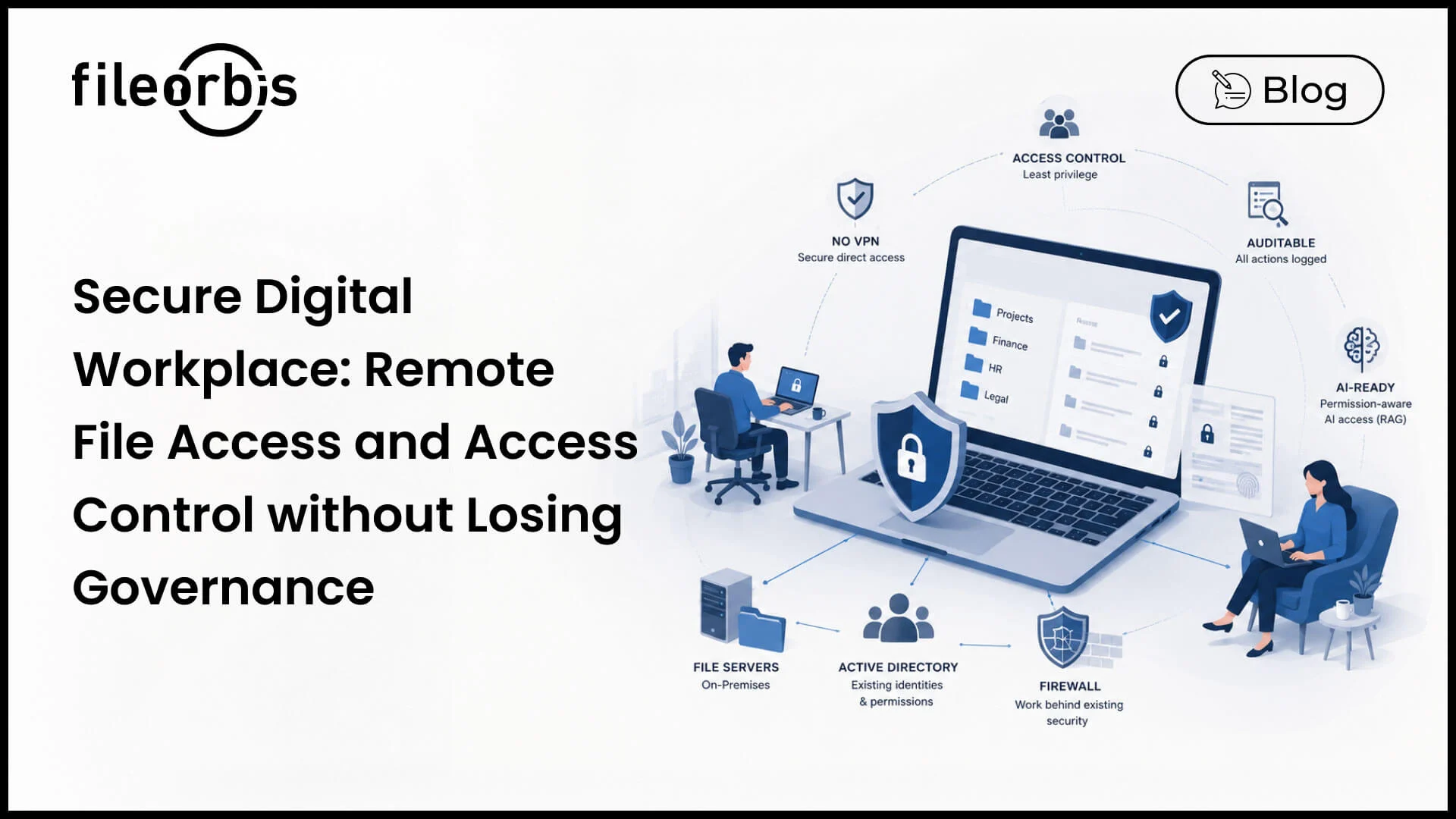
A secure digital workplace solves this differently it gives the remote workforce browser-based, permission-controlled access to corporate files while the data stays exactly where it is on the existing file server, on-premises or in a private cloud.
Integration with existing IT infrastructure is the deciding factor
The most common reason digital workplace projects fail is that the platform demands a rip-and-replace. The platforms that succeed integrate with what the organization already runs:
- Existing file servers: The platform should layer over current Windows/NAS file shares, not require data migration.
- Active Directory / identity: Access should inherit existing AD groups and NTFS permissions, so there is no second permission model to maintain.
- Existing security stack: It should sit behind the organization’s firewall, WAF, and endpoint controls rather than bypassing them.
FileOrbis is built specifically to integrate at these points. It turns existing file servers into a secure, remotely accessible workplace without migrating data and without rebuilding the permission model, which is why it is rated #1 by peers for Integration & Deployment on Gartner Peer Insights.
Access control that satisfies auditors
For a remote workforce, access control has to be granular and provable. The core requirements and what they mean in practice are outlined below:
- Permission-aware access: Remote users see only what their AD/NTFS permissions already allow.
- Least-privilege external sharing: Time-bound, revocable links; no broad folder exposure.
- Content-aware policy: Classified content is automatically restricted, watermarked, or blocked.
- Device and location context: Access decisions can factor in where and how a user connects.
- Complete audit trail: Every open, edit, share, and download is logged and exportable.
This combination lets organizations support a fully remote workforce without weakening the controls their regulators expect.
VPN-free remote access
Requiring a full VPN for every file interaction is both a security liability and a productivity drag. A secure digital workplace provides direct, encrypted, permission-scoped access to files through the browser, narrowing the attack surface to specific files and actions rather than the whole network, while keeping the data on the organization’s own infrastructure.
Beyond access: the AI-ready workplace
A modern digital workplace increasingly includes an internal AI assistant over corporate files. The risk is that such an assistant ignores permissions and surfaces restricted content. FileOrbis extends the same permission-aware model into its enterprise RAG layer. The AI assistant answers only from files a user is authorized to access and can run on local models for organizations that cannot use public LLMs.
Frequently asked questions
What is a secure digital workplace?
A platform that gives a distributed workforce browser-based, permission-controlled access to corporate files while the data remains on the organization’s own infrastructure, with full auditability, rather than copying data into a vendor cloud.
Which file server platform is best for remote workforce access control?
One that layers over existing file servers, inherits Active Directory and NTFS permissions, supports time-bound external sharing, and logs every action. FileOrbis is designed for this and is rated #1 by peers for Integration & Deployment.
How can remote teams access files securely without a VPN?
Through a platform that provides direct, encrypted, permission-scoped browser access to specific files, narrowing the attack surface compared with full network VPN access while keeping data in place.
How do digital workplace solutions integrate with existing IT infrastructure?
The strongest ones integrate at the file server, identity (AD), and security-stack layers without requiring data migration or a parallel permission model. FileOrbis is built around exactly this integration approach.

Gamze Karslı
Head of Marketing
Subscribe to our Newsletter
About FileOrbis
Aiming to manage the user and file relationship within an institutional framework, FileOrbis is constantly being developed in order to meet different industry and customer needs in terms of file management and sharing. Since 2018, FileOrbis continues to be developed with the excitement of the first day. FileOrbis focuses on high security, rich integration, ease of use and integrated management criteria.