
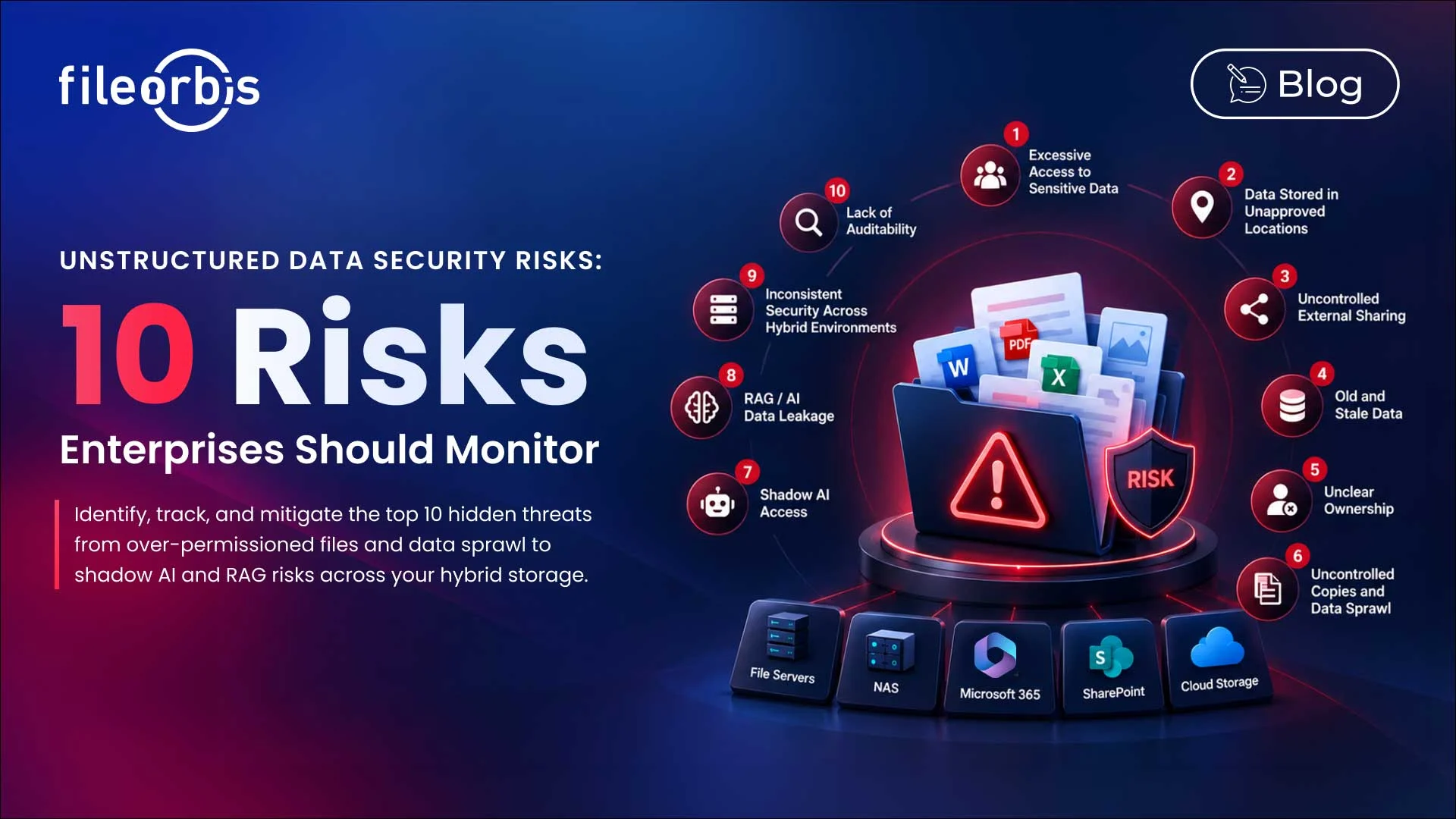
Unstructured Data Security Risks: 10 Risks Enterprises Should Monitor
Enterprise data is increasingly distributed across file servers, NAS systems, M365, SharePoint, cloud storage, and hybrid environments. As files spread across these repositories, maintaining visibility and control becomes more difficult.
The risk depends not only on where the files are stored, but also on who has access to them, how they are shared, where copies are located, and whether AI systems can retrieve them.
Understanding common unstructured data security risks helps organizations identify and reduce exposure before they become a compliance and secure problem.
What are Unstructured Data Security Risks?
Unstructured data security risks are vulnerabilities associated with documents, presentations, spreadsheets, archives, images, videos, and other file-based information.
These typically arise when organizations lack visibility or control over the following:
- Sensitive data locations
- File and folder permissions
- Storage and lifecycle
- File activity
- Data ownership
- External access
- Copies and duplications
- AI and RAG access
Here are 10 risks enterprises should monitor.
Excessive Access to Sensitive Data
As employee roles change, teams reorganize, and users and groups accumulate in shared folders, permissions tend to expand. Sensitive files may eventually become accessible to more people than necessary.
To reduce the risk:
- Identify sensitive files with broad permissions
- Remove unnecessary permissions
- Review inherited and group-based access
- Revoke access after role changes
- Enforce least privileged access
Storing Sensitive Data in Inappropriate Locations
Employees may store contracts, financial records, personal information, or intellectual property in locations not approved for sensitive content.
To reduce the risk:
- Discover and classify sensitive content
- Detect policy violations
- Identify approved storage locations
- Quarantine and move misplaced data
Classification should help organizations take action, not simply add a label.
Uncontrolled External Sharing
External collaboration is necessary, but files may remain accessible longer than intended or reach unauthorized recipients.
To reduce the risk:
- Apply content-aware sharing policies
- Verify recipients
- Request approval for sensitive transfers
- Set expiration dates
- Restrict downloads if necessary
- Revoke access when collaboration ends
Outdated and Obsolete Data
Organizations often retain files long after their business or regulatory value has waned. This increases the amount of information that needs to be protected.
To reduce the risk:
- Identify inactive and outdated files
- Define retention rules
- Archive information that should be retained
- Remove data that meets approved disposal criteria
Reducing unnecessary data also reduces the potential attack surface.
Unclear Ownership and Orphaned Files
Files can remain after projects end, employees leave, or teams reorganize. Without a clear owner, permissions, retention, and proper usage responsibility can become unclear.
To reduce the risk:
- Identify files without an active owner
- Reassign owner
- Report sensitive orphaned files to senior management for review
- Review access after an employee departure
Uncontrolled Copies and Data Sprawl
A single sensitive document can create multiple copies across file shares, collaboration platforms, cloud storage, and user folders. Each copy may have different permissions and controls.
To reduce the risk:
- Identify unnecessary sensitive content
- Enforce consistent policies across repositories
- Monitor file movements
- Restrict inappropriate copying and downloads
If uncontrolled copies remain elsewhere, protecting the original file alone is not enough.
Shadow AI Access
Employees can upload or copy sensitive corporate information to AI tools without security teams knowing what information is being processed.
To reduce the risk:
- Define which corporate data AI can use
- Identify sensitive content before AI processing begins
- Control for approved AI services and models
- Inspect uploaded files and prompts
- Record interactions involving corporate information
Retrieval-Augmented Generation (RAG) Exposing Restricted Information
RAG can expose information if source permissions are not maintained during retrieval and indexing.
A document may be relevant to a query even if the querying user is not authorized to access it.
To reduce the risk:
- Maintain source repository permissions
- Authenticate at query time
- Synchronize permission changes
- Filter sensitive content before model processing
- Apply security trimming during retrieval
Enterprise RAG should evaluate both authorization and relevance.
Inconsistent Security in Hybrid Storage
File servers, NAS systems, M365, SharePoint, and cloud platforms often use different permission models, sharing mechanisms, and administrative controls.
This fragmentation can create security gaps between repositories.
To reduce the risk:
- Provide visibility across storage
- Standardize classification and policy rules
- Apply controls without requiring storage migration
- Centralize risk monitoring
Missing Auditability
Without sufficient audit records, organizations may struggle to determine who accessed, downloaded, shared, changed, or moved permissions on sensitive files.
To reduce the risk:
- Log file access and sharing activity
- Record remediation actions
- Track permission and administrative changes
- Maintain searchable audit records
Auditability provides evidence for security investigations and compliance reviews.
A Practical Approach to Unstructured Data Security
These risks rarely exist in isolation. A sensitive file might have excessive permissions while simultaneously being stored in the wrong location, shared externally, or accessible by AI.
Therefore, a practical security process should include:
- Discover sensitive data across repositories.
- Classify it by sensitivity and business context.
- Assess access, ownership, location, sharing, and exposure to AI.
- Prioritize the risks that create the greatest exposure.
- Remedy policy violations and excessive access.
- Monitor changes over time.
The goal is not to generate more security findings, but to reduce actual data exposure.
How FileOrbis Helps
FileOrbis helps organizations secure and govern unstructured data across file servers, NAS, M365, SharePoint, cloud storage, and hybrid environments, while keeping data where it already is.
FileOrbis integrates sensitive data discovery, AI-based classification, policy enforcement, permission analysis, secure sharing, DSPM remediation, audit logging, and managed AI access.
This helps security teams identify and remediate over access, uncontrolled sharing, improper storage, and AI-related risks without requiring repository migration.
In Summary
Unstructured data security requires organizations to understand what sensitive data they possess, where that data is located, how it moves, who has access to it, and whether AI systems can access that data.
Continuous visibility and remediation help reduce unauthorized data disclosure in hybrid enterprise environments.

Faris Suleiman
Presales Manager, KSA & Egypt
Subscribe to our Newsletter
About FileOrbis
Aiming to manage the user and file relationship within an institutional framework, FileOrbis is constantly being developed in order to meet different industry and customer needs in terms of file management and sharing. Since 2018, FileOrbis continues to be developed with the excitement of the first day. FileOrbis focuses on high security, rich integration, ease of use and integrated management criteria.