
Secure Managed File Transfer vs. Smart SFTP: What Enterprises Actually Need
Enterprises have relied on SFTP for decades to exchange files between applications, suppliers, partners, and internal systems. SFTP remains valuable because it provides an encrypted and widely supported file transfer method.
However, secure transfer alone is no longer enough.
Organizations increasingly need automation, content inspection, centralized audit logs, approval workflows, and policy enforcement regarding file movement. This is where Secure Managed File Transfer (MFT) and policy-enhanced Smart SFTP come in.
The question is not simply whether businesses need to replace SFTP. The question is how they will maintain compliance while adding the governance required by modern file transfers.
What is Secure Managed File Transfer?
Secure managed file transfer is a centralized approach to managing, automating, monitoring, and securing enterprise file exchanges.
Unlike SFTP, which is essentially a secure transfer protocol, MFT is a broader layer of technology that can add capabilities such as workflow automation, auditing, monitoring, and governance when using SFTP and other protocols.
Typical MFT capabilities include:
- Centralized transfer management
- Scheduled and event-triggered transfers
- Automatic retries and notifications
- Access controls
- Workflow orchestration
- Multi-protocol support
- Integration with enterprise applications
- Audit logs and reporting
For organizations that perform numerous repetitive transfers, these capabilities can reduce reliance on scripts and manual management.
Situations Where Traditional SFTP Still Makes Sense
SFTP is still useful for machine-to-machine and partner integrations because it is encrypted, established, and widely supported across enterprise applications.
It remains valuable in the following situations:
- Legacy applications already support SFTP
- Automated systems need predictable file exchange
- Partners need an SFTP endpoint
- Simple point-to-point encrypted transfer is sufficient
- Replacing existing integrations would cause unnecessary disruption
The limitation arises when businesses expect the protocol to provide broader governance than it does itself. Standard SFTP protects data in transit, but content control, compliance reporting, centralized workflow management, and policy enforcement require additional controls around it.
Secure Managed File Transfer (MFT) vs. Smart SFTP
Traditional MFT and Smart SFTP overlap in areas such as secure transfer, monitoring, automation, and auditing. The key difference lies in how security and governance related to file movement are applied.
- Traditional MFT typically focuses on:
- Centralized file transfer management
- Multiple transfer protocols
- Scheduled and event-driven automation
- Workflow orchestration
- Integration with enterprise applications
- Transfer monitoring and reporting
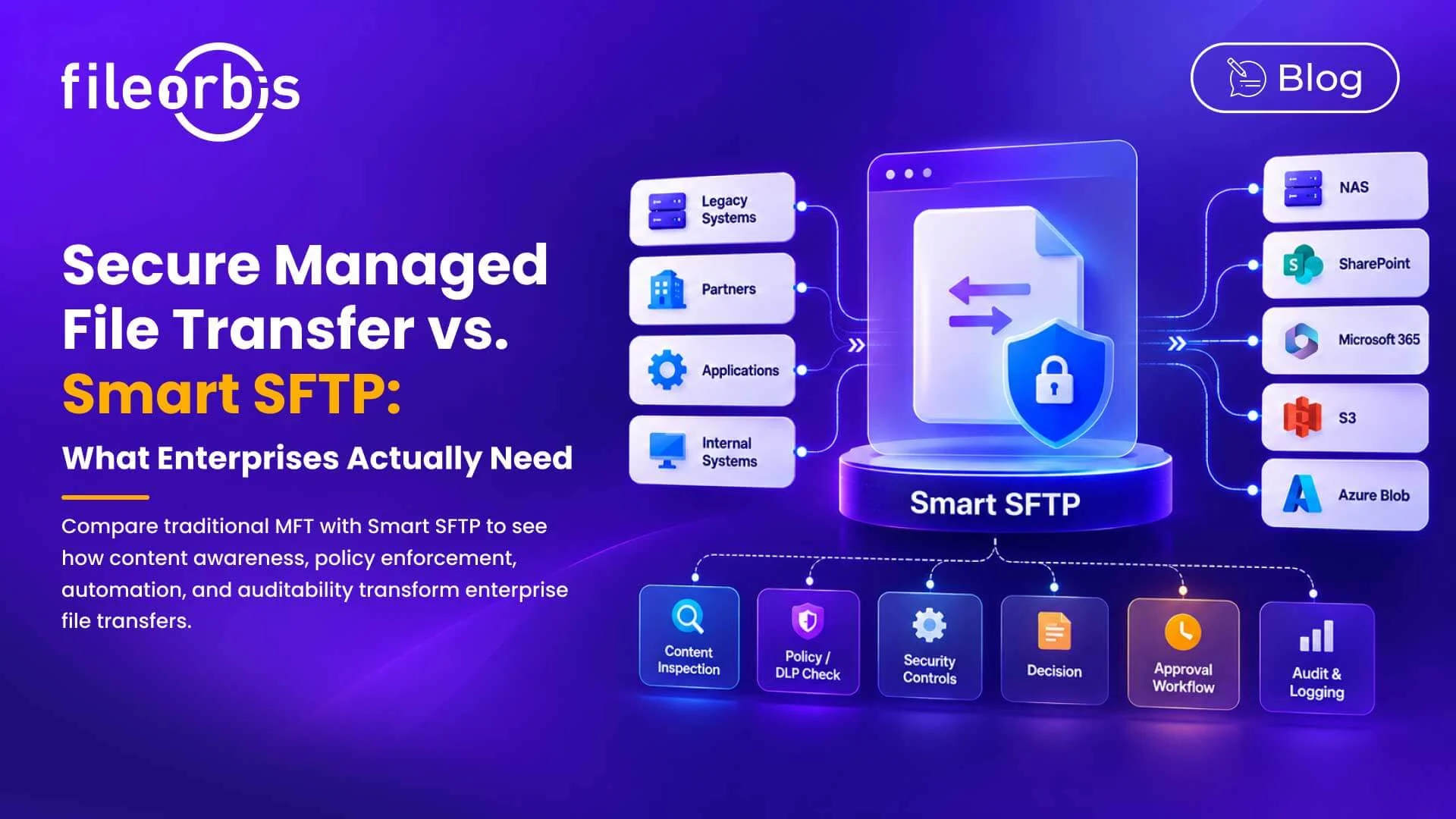
Smart SFTP extends existing SFTP workflows with the following features:
- Content-aware auditing
- Approval workflows for sensitive transfers
- DLP and policy enforcement
- Automated routing based on content or policy
- Sandbox, malware, and CDR controls
- Centralized audit logging
- Integration with modern enterprise storage
The important thing is not just the difference between MFT versus SFTP. Organizations should assess whether their transfer architectures understand what is being moved and whether they can apply appropriate security and governance controls.
For organizations, Smart SFTP offers a way to add these controls without abandoning the workflows and endpoints they already use.
The Importance of Content Inspection
Encryption protects a file as it’s moved. Content-aware management determines whether or not the file should be allowed to move.
Consider an automated process attempting to transfer a file containing customer personal information to an external destination. Traditional SFTP can securely encrypt the transfer. A content-aware transfer layer can review the file and enforce a policy before allowing it to proceed.
Depending on the policy, the system can:
- Require approval
- Allow or block the transfer
- Send the file for malware analysis
- Generate an alert
- Redirect to quarantine
- Record the decision for review
Therefore, security goes beyond protecting the connection and includes controlling the transferred file.
What Should Enterprises Evaluate?
When evaluating a securely managed file transfer architecture, enterprises should look beyond protocol support.
Key questions include:
- Can existing SFTP integrations remain unchanged?
- Are files screened for sensitive content?
- Can transfers be automated without maintaining extensive scripting?
- Could sensitive transfers require approval?
- Can DLP policies affect transfer decisions?
- Are sandbox, malware, and CDR controls in place?
- Can the platform connect legacy systems with modern storage?
- Can audit information be integrated with SIEM platforms?
- Are transfer and policy events centrally logged?
- Can policies be centrally managed in automated transfers?
The goal is not only to evaluate whether files can be transferred securely, but also whether these transfers can be managed consistently.
How FileOrbis Helps
FileOrbis Smart SFTP adds policy, security, and automation to existing SFTP workflows, rather than requiring businesses to redesign their current integrations.
It can:
- Inspect transfers for sensitive content
- Support SFTP, FTPS, WebDAV, and HTTPS
- Connect legacy systems with NAS, OneDrive, SharePoint, S3, and Azure Blob
- Enforce DLP and security policies
- Automate routing and post-transfer processes
- Integrate sandbox, antivirus, CDR, and ICAP controls
- Work with existing storage without requiring data migration
- Maintain centralized control visibility
This enables organizations to modernize their existing file transfer workflows while applying consistent security and governance controls.
In Summary
SFTP remains valuable for its transfer application and partner integrations, but encrypted transfer alone does not provide complete governance.
A modern, secure, and managed file transfer strategy should add content inspection, policy enforcement, automation, approvals, and auditability to file movement.
Smart SFTP offers a way to extend these controls while maintaining the SFTP workflows enterprises already rely on.
Frequently Asked Questions
Is MFT more secure than SFTP?
Not automatically. While SFTP provides encrypted transfer, MFT adds features like automation, monitoring, policy enforcement, and auditing. Security depends on the controls applied around the transfer.
Does Smart SFTP replacing traditional SFTP?
Not necessarily. Smart SFTP can add content inspection, automation, approvals, policy enforcement and audit logging while maintaining existing SFTP workflows.
What should enterprises look for in a secure managed file transfer solution?
Look for automation, content-aware controls, threat inspection, centralized monitoring, approval workflows, integration with existing repositories and security systems, and detailed audit logging.

Emre Demiray
Founder – FileOrbis
Subscribe to our Newsletter
About FileOrbis
Aiming to manage the user and file relationship within an institutional framework, FileOrbis is constantly being developed in order to meet different industry and customer needs in terms of file management and sharing. Since 2018, FileOrbis continues to be developed with the excitement of the first day. FileOrbis focuses on high security, rich integration, ease of use and integrated management criteria.