
File Server Migration: Risks, Challenges, and Modern Alternatives
File server migration is a frequently considered when businesses need to replace aging infrastructure, consolidate storage, or adopt hybrid cloud environments. However, moving business-critical files can lead to operational disruptions, security risks, and unexpected costs.
Before starting a migration project, organizations should determine whether their goals necessitate data migration or whether existing infrastructure can be modernized without the need for relocation.
What is File Server Migration?
File server migration involves transferring folders, files, permissions, and related configurations from an existing file server to another storage environment.
Common scenarios include:
- Server-to-server migration: Replacing legacy Windows file servers with newer infrastructure.
- Storage consolidation: Combining multiple file server and NAS systems.
- Hybrid migration: Migrating selected workloads while keeping other data on premises.
- Cloud migration: Moving enterprise files to cloud storage or collaboration platforms.
Key Challenges of File Server Migration
Permission and Access Control Complexity
Enterprise file servers often rely on NTFS permissions and complex Active Directory groups.
During migration, incorrect permission mapping can lead to:
- Broken permission inheritance
- Unauthorized exposure of sensitive files
- Excessive access privileges
Business Disruptions and Interruptions
Changing file locations can affect mapped drives, scripts, application configurations, and automated workflows.
Poorly planned migrations can interrupt file access, delay business operations, or create synchronization conflicts.
Security and Compliance Risks
File server migration requires organizations to maintain data integrity, access controls, encryption, and audit visibility.
For regulated industries, relocating sensitive files can also bring about data residency and compliance considerations.
Data Volume and Migration Costs
Migrating large volumes of enterprise files requires significant time, infrastructure resources, and network capacity.
Additional costs may include data preparation, application testing, permission verification, and post-migration troubleshooting.
Is File Server Migration Always Necessary?
Not necessarily.
Organizations often consider migration to address limitations in file access, remote collaboration, centralized management, or governance.
However, these challenges don’t always necessitate replacing existing storage.
Migration may be necessary when hardware is unsupported, storage capacity is insufficient, or technical dependencies require a new platform.
As long as the existing infrastructure remains reliable, organizations can modernize file access and management without relocating their data.
File Server Migration Alternatives: Modernization without Moving Data
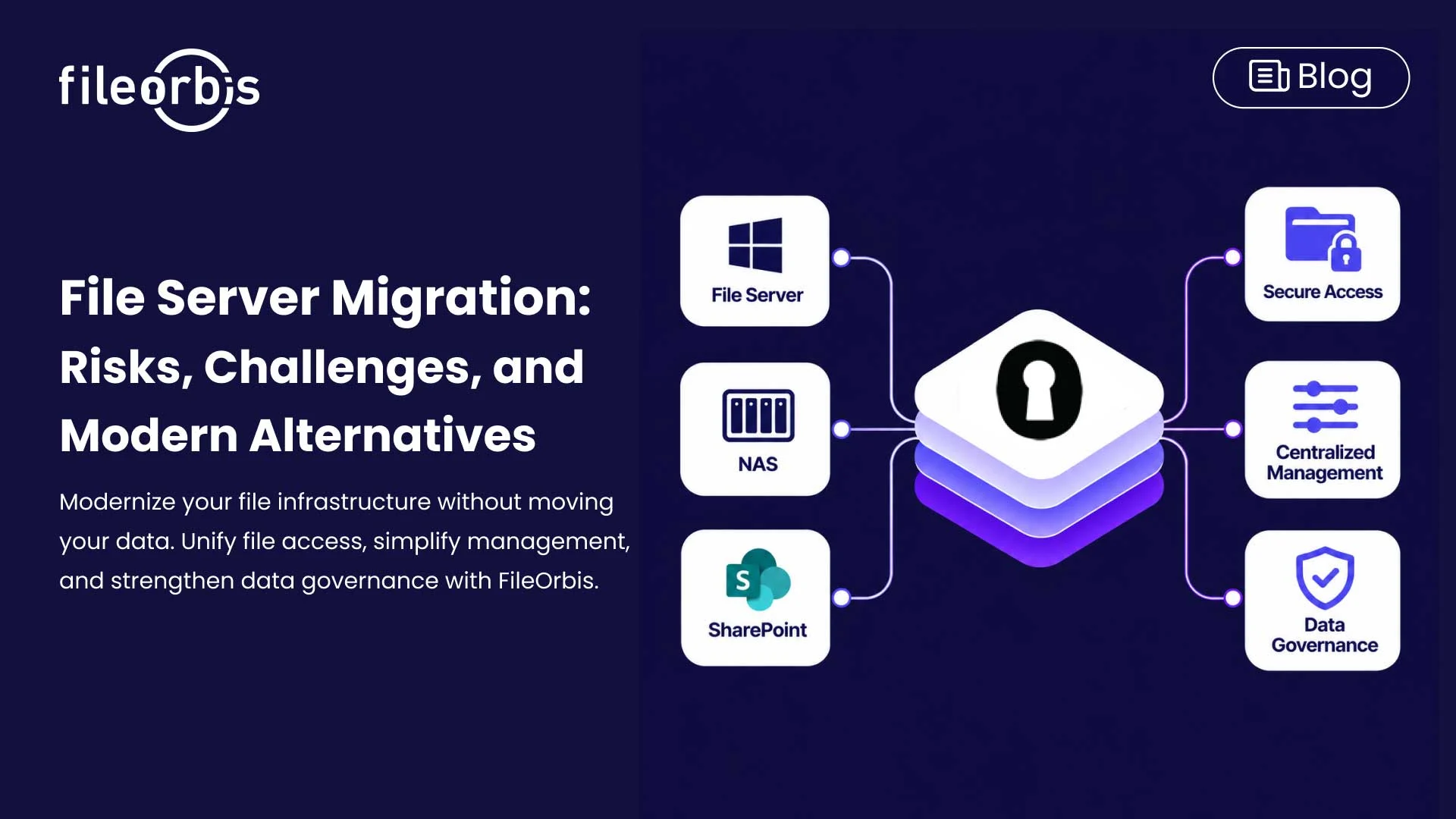
File system federation offers an alternative to traditional migration by connecting existing storage systems through a unified access and management layer.
Instead of consolidating files into a new repository, organizations can manage distributed storage while keeping data in its original location.
This approach enables:
- Existing Permissions Retention: Maintain established identity and access controls.
- Unified File Access: Connect file servers, NAS systems, and cloud storage.
- Centralized Management: Increase visibility across distributed storage.
- Hybrid Infrastructure Support: Coordinate on-premises and cloud environments without mandatory migration.
How to Plan a File Server Migration Strategy
Before choosing a migration or modernization approach, IT teams should:
- Review permissions: Examine NTFS permissions, Active Directory groups, and access risks.
- Assess existing infrastructure: Identify data volumes, storage systems, and application dependencies.
- Define business requirements: Determine which goals truly necessitate data relocation.
- Evaluate security and compliance: Consider sensitive data protection, residency and audit requirements.
- Plan implementation: Verify access and performance through phased deployment with backup and rollback procedures where migration is necessary.
How FileOrbis Helps
FileOrbis enables enterprises to modernize their existing file infrastructure through a unified access and governance layer without the need for large-scale data migration.
Capabilities include:
- File System Federation: Connect Windows file servers, NAS, NFS, SharePoint, S3-compliant storage, and other repositories.
- Unified Permission Management: Centralize permission management while respecting existing Active Directory and NTFS access controls.
- Edge Caching: Improve performance for distributed offices through local caching.
- Secure Remote Access: Enable controlled file access without traditional VPN-based connections.
- Virtual Drive: Access enterprise files via on-demand streaming without full synchronization.
- Centralized Governance and Auditing: Improve visibility into file activity, permissions, and access across connected repositories.
FileOrbis helps enterprises improve file access, management, and security while protecting their infrastructure investments by expanding their existing storage capabilities.
In Summary
File server migration is not always necessary to modernize enterprise file infrastructure. Before moving data, organizations should assess whether their existing storage can meet modern access, governance, and security requirements.
FileOrbis helps enterprises consolidate distributed storage, improve file access, and strengthen governance without the need for large-scale data migration.
Frequently Asked Questions
What are the main risks of file server migration?
The main risks include permission inconsistencies, operational disruption, data loss, and application compatibility issues. Careful planning and validation help minimize these challenges.
Can organizations modernize file servers without migrating data?
Yes. File system federation allows organizations to improve file access, centralized management, and governance while preserving data on their existing storage environments.
How does FileOrbis help enterprises avoid file server migration?
FileOrbis unifies access to existing file servers, NAS systems, and cloud storage, enabling secure, centralized file management without requiring data migration.

Faris Suleiman
Presales Manager, KSA & Egypt
Subscribe to our Newsletter
About FileOrbis
Aiming to manage the user and file relationship within an institutional framework, FileOrbis is constantly being developed in order to meet different industry and customer needs in terms of file management and sharing. Since 2018, FileOrbis continues to be developed with the excitement of the first day. FileOrbis focuses on high security, rich integration, ease of use and integrated management criteria.