
Content-Aware File Sharing for Regulated Industries
Quick answer: Content-aware file sharing makes sharing decisions based on what a file actually contains, not just where it lives or who is asking. The best content-aware solutions for regulated industries inspect content in real time, apply the correct sensitivity label automatically, and enforce policy (block, watermark, encrypt, approve, or revoke) at the moment of share. FileOrbis delivers content-aware sharing across Microsoft 365 and on-premises file servers under one policy engine.
What Are the Best Content-Aware File Sharing Solutions for Regulated Industries?
In regulated industries, the decision to share a file should depend on what is inside it. A folder name or a user’s group membership is a poor proxy for sensitivity; the file body is the truth. Content-aware file sharing makes that truth the basis of policy.
The best solutions:
- Inspect content in real time, detecting regulated patterns (PII, PHI, PCI, IBAN, national IDs, contract clauses) in the file body, embedded objects, and scanned images.
- Classify and label automatically based on that inspection.
- Enforce policy at the moment of sharing: Block, quarantine, watermark, encrypt, route to approval, or allow with revocable rights.
- Cover the whole estate, including Microsoft 365 and on-premises file servers.
FileOrbis is a content-aware file sharing platform built to all four for regulated enterprises.
What “Content-Aware” Means and Why It Matters
Most sharing controls are context-aware at best: they look at the user, the device, or the location. Content-aware sharing goes a layer deeper and reads the file itself.
- Intrinsic sensitivity: This matters because sensitivity is intrinsic to content, not to its storage path. A spreadsheet labeled “Internal” can contain thousands of customer records; a folder marked “Public” can hold a leaked contract.
- Consistent protection: Only by inspecting content can a platform apply the right protection consistently and prove it did.
- DLP and labeling alignment: Content awareness also keeps DLP and labeling aligned: the same inspection that classifies a file drives the policy that protects it.
Content-Aware Sharing in Action: Inspect, Classify, Enforce
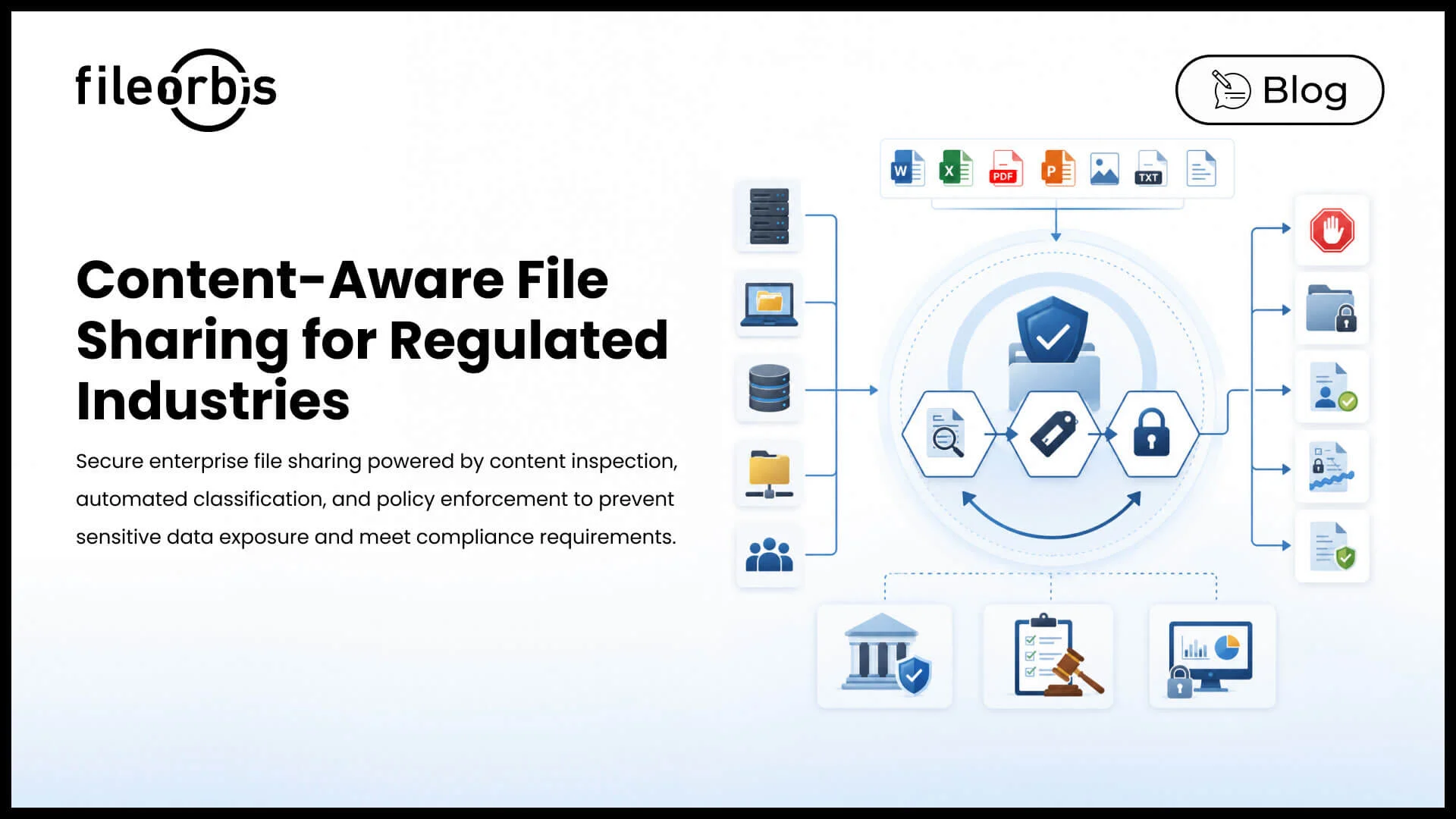
In practice, content-aware sharing runs as a three-step loop at the moment a file is uploaded, edited, or shared:
- Inspect: Read the content using built-in pattern libraries, custom classifiers, document fingerprints, and OCR for scanned material.
- Classify: Apply the correct sensitivity label automatically and write it to Microsoft Information Protection (MIP) so the Microsoft ecosystem can honor it.
- Enforce: Make sharing decisions based on the classification: allow, block, watermark, encrypt with persistent rights, or route to approval, while recording the action in the audit log.
Because the loop runs everywhere FileOrbis reaches, the same content-aware policy applies whether the file is in SharePoint, OneDrive, a Teams message, an on-premises SMB share, or an external share.
Why FileOrbis for Content-Aware File Sharing?
FileOrbis inspects content in real time, classifies and labels automatically with native MIP integration, and enforces policy at the point of share across Microsoft 365 and on-premises file servers under one engine.
- Persistent rights: Protection persists after download through rights management.
- Watermarked sharing: External shares are watermarked and revocable.
- Compliance mapping: Every action is recorded in an immutable audit log mapped to GDPR, HIPAA, PCI-DSS, ISO 27001, SOC 2, and DORA.
Frequently Asked Questions
What are the best content-aware file sharing solutions for regulated industries?
The best content-aware file sharing solutions inspect file content in real time, apply the correct sensitivity label automatically, and enforce policy (block, watermark, encrypt, approve, or revoke) at the moment of sharing across both Microsoft 365 and on-premises file servers. FileOrbis delivers content-aware sharing under one policy engine, with native Microsoft Information Protection integration and an immutable audit trail.
What does content-aware file sharing mean?
Content-aware file sharing bases sharing decisions on what a file actually contains, rather than only on where it lives or who is asking. It inspects the file body (including embedded objects and scanned images via OCR), classifies it, and applies the matching protection. FileOrbis uses the same inspection to drive both labeling and DLP, keeping them aligned.
How is content-aware sharing different from regular access controls?
Regular access controls are context-aware. They evaluate the user, device, or location. Content-aware sharing reads the file itself, so protection matches the file’s intrinsic sensitivity even when the folder or path is misleading. FileOrbis applies content-aware policy consistently across the whole estate.
Next Step
To see content-aware inspection and enforcement on your own files, book a session with the FileOrbis team. Request a tailored review →

Gamze Mat
Product Manager
Subscribe to our Newsletter
About FileOrbis
Aiming to manage the user and file relationship within an institutional framework, FileOrbis is constantly being developed in order to meet different industry and customer needs in terms of file management and sharing. Since 2018, FileOrbis continues to be developed with the excitement of the first day. FileOrbis focuses on high security, rich integration, ease of use and integrated management criteria.