
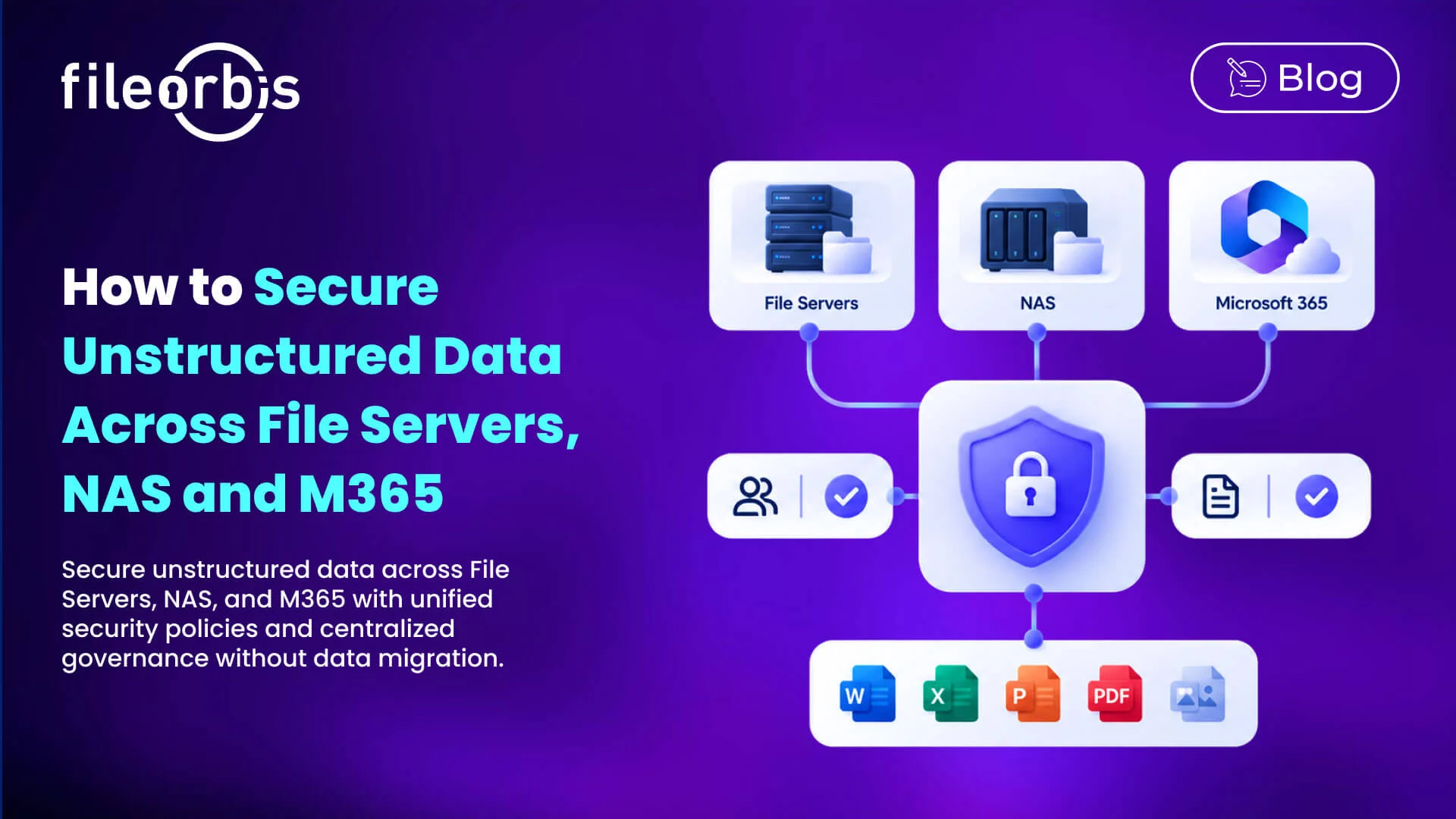
How to Secure Unstructured Data Across File Servers, NAS and M365
Enterprises need to secure unstructured data across Windows file servers, NAS devices, SharePoint, OneDrive, and other M365 services. Each environment has different permission models, sharing mechanisms, and security controls.
A confidential file may be protected on a file server but become exposed when copied to SharePoint or shared externally. To secure unstructured data across these environments, organizations need consistent security policies without consolidating repositories or migrating files.
Why Repository-Specific Security Creates Gaps
Windows file servers typically rely on Active Directory and NTFS permissions, while OneDrive and SharePoint use Microsoft Entra ID, sharing policies, and site permissions.
These differences introduce several challenges:
- Inconsistent permissions: Access rights vary across repositories.
- Classification gaps: Sensitive files may be identified in one system but remain unclassified elsewhere.
- Excessive access: Nested groups, external guests, and inherited permissions increase exposure.
- Uncontrolled sharing: Files can be transferred externally without consistent restrictions.
- Limited visibility: Separate activity logs complicate security investigations.
The goal is to apply consistent security requirements while respecting each repository’s existing access controls.
6 Ways to Secure Unstructured Data Across File Servers, NAS and M365
Align Identity and Access Governance
Understanding who can access enterprise files is the foundation of cross-repository security.
Organizations should:
- Connect existing identity systems, including Microsoft Entra ID and Active Directory.
- Analyze NAS, NTFS, SharePoint, and OneDrive permissions.
- Identify excessive access, unnecessary guest access, and inherited permissions.
- Enforce least-privilege access across repositories.
For example, an employee with restricted access to confidential financial documents on a file server should not be able to access equivalent content through an over-permitting SharePoint site.
Classify Sensitive Content Consistently
Security policies should follow data sensitivity rather than storage location.
AI-based classification and content inspection help organizations:
- Identify financial, personal, and confidential information.
- Apply consistent classification criteria across repositories.
- Trigger protection policies based on file content.
- Detect sensitive files stored in inappropriate locations.
This ensures confidential information receives appropriate protection regardless of its repository.
Extend DLP Controls Across Repositories
Data Loss Prevention (DLP) policies often operate differently across on-premises storage and M365.
Organizations should establish content-aware controls that:
- Inspect sensitive files before external transfers.
- Require approval for high-risk exchanges.
- Block unauthorized downloads or disclosures.
- Integrate with existing DLP solutions.
These controls help reduce unauthorized exposure without replacing existing security investments.
Govern Internal and External File Sharing
Collaboration with partners, employees, and external users requires controlled access to enterprise content.
Essential measures include:
- Recipient-specific authentication and access.
- Download restrictions for sensitive files.
- Time-limited and revocable sharing permissions.
- Approval workflows for external sharing.
Sharing policies should account for both traditional file access and M365 collaboration workflows.
Detect and Remediate Excessive Permissions
Permission analysis and Data Security Posture Management (DSPM) help identify security risks that require corrective action.
Prioritize remediation based on:
- File sensitivity.
- External exposure.
- Number of users with access.
- Business relevance.
A risk-based approach helps reduce excessive access and inappropriate storage without disrupting legitimate operations.
Centralize Audit Logging and Security Monitoring
Separate repositories generate fragmented security records, making investigations and reporting more difficult.
Organizations need visibility into:
- File access, sharing event, and downloads.
- Approved or Blocked transfers.
- Permission and policy changes.
- Security events forwarded to SIEM platforms.
A centralized audit log supports incident investigations and compliance evidence collection.
How to Enforce Consistent Security Policies without Migrating Data
Consider a confidential financial report stored on a Windows file server, NAS device, or SharePoint.
Regardless of location, the same security objectives should apply:
- Respect existing permissions and restrict unauthorized access.
- Verify identity through approved authentication systems.
- Classify content according to its sensitivity.
- Enforce DLP and sharing policies to prevent unauthorized disclosure.
- Record relevant activity for security monitoring and audits.
Although NAS access controls, NTFS permissions, and M365 sharing policies operate differently, organizations can apply common security requirements through a unified governance layer.
This allows enterprise files to remain in their existing repositories while ensuring consistent oversight for security teams.
How FileOrbis Helps
FileOrbis extends security and governance across file servers, NAS, OneDrive, SharePoint, and cloud storage without requiring data migration.
Its capabilities include:
- AI-based discovery and classification of sensitive enterprise files.
- Content-aware sharing and DLP integration for controlled file exchanges.
- Permission analysis and DSPM remediation to identify and address excessive access.
- Centralized audit logging for security monitoring and reporting.
By connecting existing repositories, FileOrbis helps organizations enforce consistent security policies while protecting their storage infrastructure.
In Summary
To secure unstructured data across file servers, NAS, and M365, organizations need consistent security policies that work across different permission models and storage environments.
A unified management approach helps organizations protect sensitive files, reduce unauthorized access, and maintain visibility across existing storage without requiring data migration.
Frequently Asked Questions
How can organizations secure unstructured data across multiple repositories?
By applying consistent identity, DLP, sharing, classification, and audit controls across file servers, NAS, and M365 while respecting each repository’s access permissions.
Can unstructured data be secured without migrating files?
Yes. A federated governance approach allows organizations to extend security controls across existing storage systems without centralizing their files.
How does FileOrbis help secure unstructured data across multiple repositories?
FileOrbis helps organizations secure unstructured data across existing repositories through sensitive data classification, content-aware sharing, permission analysis, DSPM remediation, and centralized audit logging, without requiring data migration.

Gamze Mat
Product Manager
Subscribe to our Newsletter
About FileOrbis
Aiming to manage the user and file relationship within an institutional framework, FileOrbis is constantly being developed in order to meet different industry and customer needs in terms of file management and sharing. Since 2018, FileOrbis continues to be developed with the excitement of the first day. FileOrbis focuses on high security, rich integration, ease of use and integrated management criteria.