
SFTP Security Best Practices for Sensitive Enterprise Data
Secure File Transfer Protocol (SFTP) is widely used for exchanging sensitive enterprise data between internal systems, external applications, and business partners.
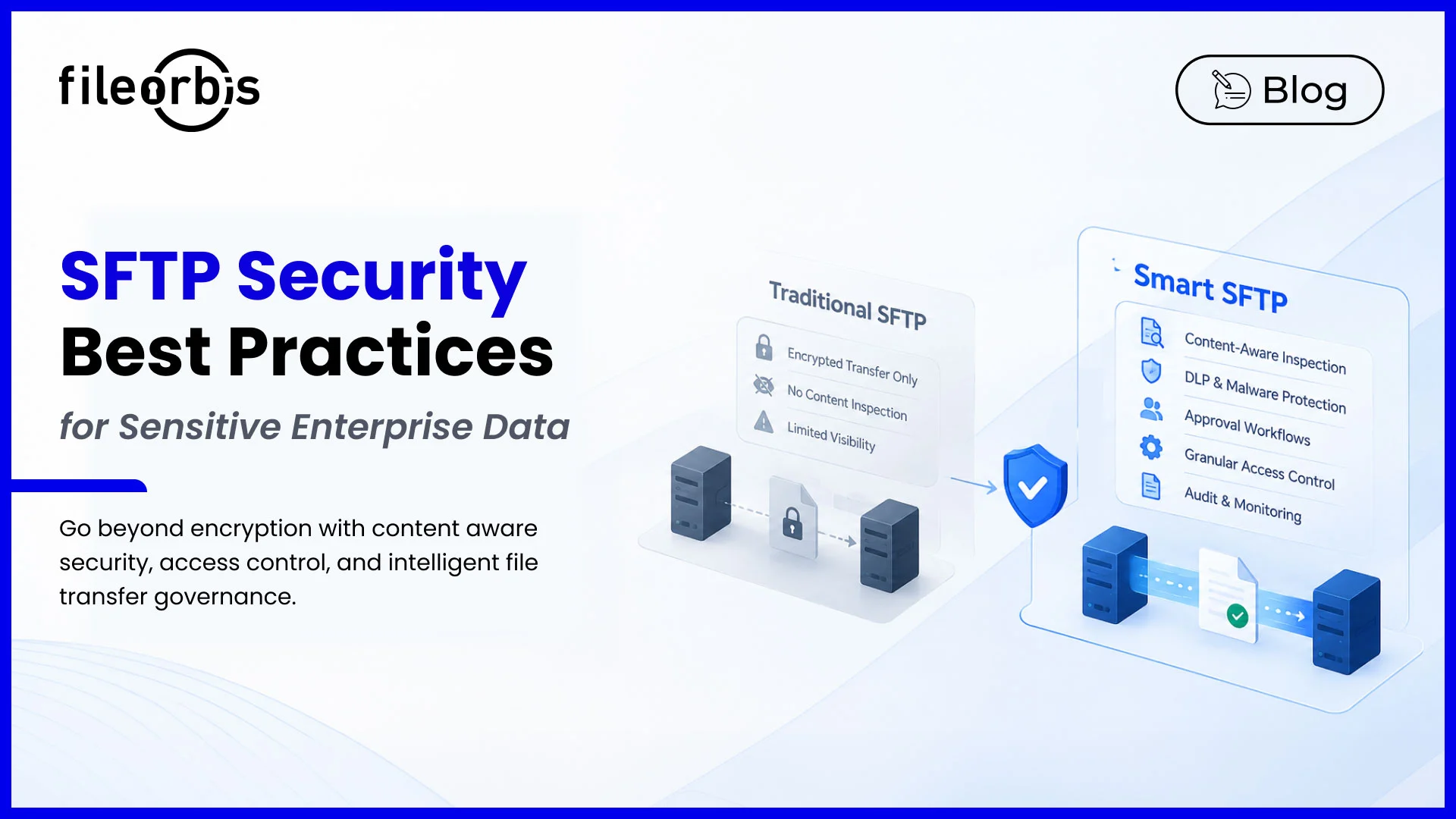
SFTP protects data during transmission by encrypting file transfers over SSH. However, encryption alone cannot determine whether the transferred files contain sensitive information, malware, or data that should not be shared.
Following SFTP security best practices helps organizations strengthen access control, prevent unauthorized data exposure, and maintain visibility into enterprise file transfers.
Why SFTP Encryption Alone Is Not Enough
Traditional SFTP secures the communication channel but does not inspect file contents or enforce data sensitivity policies.
For example, an authenticated employee could transfer a confidential customer database to an external partner over an encrypted SFTP connection. The transmission would be protected, but the exposure could still violate organizational policies.
Common security risks include:
- Malware transmission: Malicious files entering enterprise systems.
- Unauthorized data exposure: Confidential files transferred to inappropriate recipients.
- Limited content visibility: Sensitive data transferred without classification or DLP inspection.
- Excessive permissions: Users accessing files beyond their responsibilities.
- Insufficient monitoring: Suspicious activity going undetected.
Addressing these risks requires security controls beyond encrypted transmission.
11 SFTP Security Best Practices for Enterprises
Strengthen Identity and Authentication
Every SFTP connection should be associated with a verified identity.
- Use SSH key-based authentication.
- Assign individual accounts to users and dedicated identities to automated processes.
- Enable multi-factor authentication (MFA) where supported.
- Disable inactive accounts and unnecessary access.
Apply the Least Privileged Access Principle
Users and automated systems should only have access to files necessary for their responsibilities.
- Separate administrative and operational accounts.
- Restrict upload, modification, and download permissions.
- Review access rights regularly.
- Remove excessive access when responsibilities change.
Rotate and Protect SSH Keys
Unmanaged SSH keys can create long-term security risks.
- Rotate keys according to the organizational security policies.
- Maintain an inventory of authorized keys.
- Storage private keys securely.
- Revoke compromised or unused keys.
Isolate SFTP Users and Directories
Directory isolation prevents users and external partners from accessing irrelevant data.
- Configure chroot environments where appropriate.
- Enforce role-based folder permissions.
- Separate partner and internal transfer directories.
- Restrict automated accounts to designated locations.
Scan Transferred Files for Malware
Encrypted connections can still carry malicious files.
- Scan incoming files before sending them to destination systems.
- Quarantine suspicious content.
- Apply Content Disarm and Reconstruction (CDR) for higher-risk transfers.
- Integrate antivirus and sandbox analysis.
Maintain Strong Encryption Standards
SFTP relies on SSH encryption to protect data in transit.
- Use modern and supported encryption algorithms.
- Disable outdated SSH configurations.
- Protect sensitive files at rest where required.
- Verify server host keys.
Require Approval for Sensitive Data Transfers
Approval workflows provide additional control for high-risk file exchanges.
- Require authorization for confidential data transfers.
- Redirect high-risk requests to designated reviewers.
- Apply approval rules based on sensitivity or destination.
- Record approval decisions.
Inspect Sensitive Content Before Transfer
Content-aware inspection is essential for preventing unauthorized data exposure through SFTP.
- Identify personally identifiable information (PII), confidential documents, and financial records.
- Apply data loss prevention (DLP) policies.
- Validate whether sensitive files are appropriate for their intended destinations.
- Block transfers that violate security requirements.
This allows organizations to make transfer decisions based on file contents rather than encryption alone.
Apply Retention and Lifecycle Policies
Keeping unnecessary files increases potential risks.
- Define retention periods for transferred files.
- Preserve records subject to legal hold.
- Apply secure deletion procedures.
- Remove temporary files when no longer required.
Enable Comprehensive Audit Logging
SFTP audit logging supports accountability, compliance reporting, and incident investigations.
Capture relevant information such as:
- Destination and source.
- User or service account identity.
- File names and transfer timestamps.
- Authentication failures and policy violations
- Upload, download, and deletion events.
Continuously Monitor SFTP Activity
Continuous monitoring helps identify suspicious file transfer behavior.
- Detect unusual transfer volumes or destinations.
- Identify unexpected permission changes.
- Monitor repeated authentication failures.
- Integrate transfer events with SIEM platforms for centralized security monitoring.
How FileOrbis Helps
FileOrbis Smart SFTP extends traditional file transfer security with content-aware controls, centralized governance, and automated workflows.
Key capabilities include:
- Content-Aware Security: Inspect files, identify sensitive information, and enforce DLP policies.
- Access Governance: Apply granular permissions to control file access and transfers.
- Approval Workflows: Require authorization for sensitive file exchanges.
- Malware Protection: Integrate antivirus, sandbox, and CDR controls into transfer workflows.
- Infrastructure Integration: Connect SFTP workflows with existing enterprise storage without requiring data migration.
- Audit Logging: Record transfer activity and support security investigations.
FileOrbis helps organizations secure enterprise file transfers while maintaining control over existing infrastructure.
Discover how FileOrbis Smart SFTP helps strengthen enterprise file transfer security.
In Summary
Effective SFTP security best practices combine three key elements:
- Content protection: Encryption, DLP inspection, malware scanning, and approval workflows.
- Access security: Strong authentication, SSH key management, directory isolation, and least-privilege access.
- Operational governance: Audit logging, and continuous monitoring, and retention management.
SFTP secures how files are transferred. Enterprise data security also requires controlling what is transferred and who is authorized to receive it.

Hammam Abunaser
Sales Director, MEA
Subscribe to our Newsletter
About FileOrbis
Aiming to manage the user and file relationship within an institutional framework, FileOrbis is constantly being developed in order to meet different industry and customer needs in terms of file management and sharing. Since 2018, FileOrbis continues to be developed with the excitement of the first day. FileOrbis focuses on high security, rich integration, ease of use and integrated management criteria.