
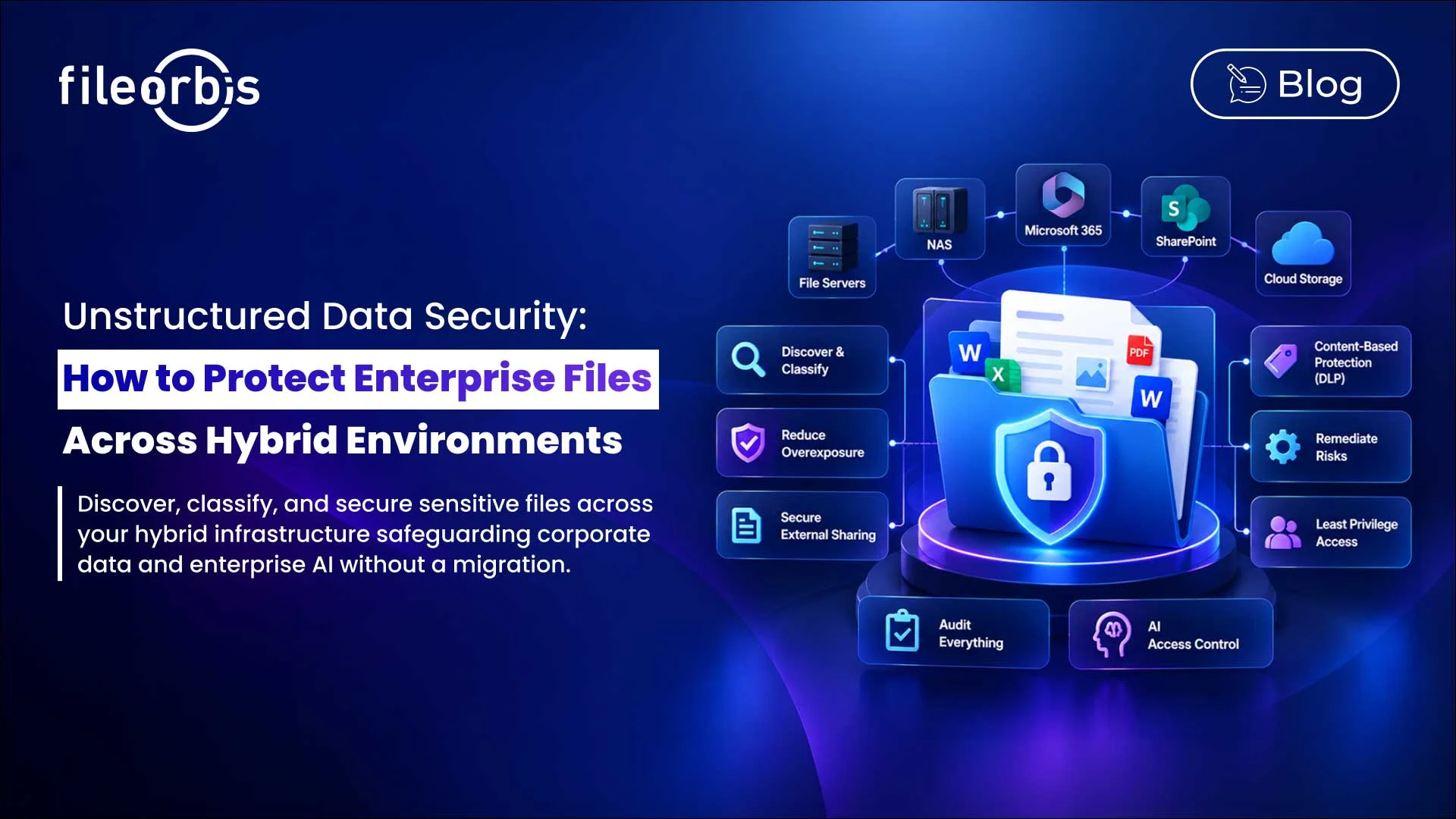
Unstructured Data Security: How to Protect Enterprise Files Across Hybrid Environments
Enterprise files are distributed across file servers, NAS, M365, SharePoint, and cloud storage. As a result, organizations often struggle to apply consistent security controls to sensitive information in hybrid environments.
Unstructured data security addresses this challenge by protecting enterprise files according to their content, permissions, sensitivity, location, and intended use.
What Is Unstructured Data Security?
Unstructured data security is the practice of protecting file-based information against unauthorized access, sharing, exposure, movement, and use.
This approach focuses on securing documents, spreadsheets, images, PDFs, contracts, source code, and other files directly, rather than relying solely on infrastructure or perimeter controls.
Organizations need to understand:
- What data is exists
- Where sensitive information is located
- How files are shared or moved
- Who can access it
- What security controls need to be applied
Why is Securing Hybrid File Environments Difficult?
Different repositories often use different permission models, classification methods, security tools, and sharing controls. This can create security vulnerabilities as files move between on-premises and cloud environments.
Common risks include:
- Excessive or outdated permissions
- Files stored in inappropriate locations
- Unclassified sensitive information
- Uncontrolled external sharing
- Fragmented audit logs
- Inconsistent DLP implementation
- AI accessing information without sufficient security context
Therefore, protecting unstructured data requires consistent controls that follow throughout the file’s lifecycle.
Discover Sensitive Data Across Repositories
Security begins with visibility.
Organizations should continuously identify and understand files across their corporate environments, including:
- File location and ownership
- File type and age
- Existing permissions
- External sharing status
- Sensitive or regulated content
- Potential exposure
Discovery forms the basis for classification, policy enforcement, and risk assessment.
Classifying Files by Content and Sensitivity
Not all files require the same level of protection.
Organizations can classify information such as:
- Personally Identifiable Information (PII)
- Financial records
- Human resources information
- Contracts
- Intellectual property
- Confidential business documents
- Source code
Classification can combine existing labels, metadata, pattern matching, and AI-based analysis.
More importantly, classification should trigger security controls such as access restrictions, encryption, DLP policies, or approval workflows.
Reduce Excessive Access
Sensitive files often remain accessible to more users than necessary due to the accumulation of permissions over time.
Security teams should identify:
- Excessive user or group permissions
- Inherited permission risks
- Broad folder access
- Legacy groups and accounts
- Sensitive files accessible beyond business needs
Access should be based on the principle of least privilege, so users can only access the information necessary according to their roles.
Apply DLP and Content-Aware Protection
Traditional access controls determine who can open a file. Content-oriented controls determine what users can do with a file based on its content.
Policies can evaluate:
- File content
- Classification
- Repository or location
- User or group
- Requested action
In this context, organizations can allow, block, restrict, encrypt, or require approval for sensitive file operations.
Secure External File Sharing
External collaboration introduces additional risks as files move beyond normal internal access boundaries.
Sensitive sharing workflows may require:
- Recipient verification
- Approval workflows
- Expired or revocable access
- Download restrictions
- Encryption
- Watermarking
- Real-time content moderation
These controls enable collaboration while ensuring the protection of sensitive information.
Remediate Unstructured Data Risks
Finding a risk is not enough. Security teams also need a way to remediate it.
Remediation actions may include:
- Removing unnecessary permissions
- Moving files to approved locations
- Encrypting sensitive information
- Restricting external access
- Quarantining risky files
- Deleting or archiving outdated data
Combining discovery with remediation helps organizations move from identifying exposure to reducing it.
Ensure Auditability in File Activities
Organizations need evidence of how sensitive files are controlled and accessed.
Audit logs should provide visibility into activities such as:
- File access and downloads
- Policy enforcement
- External sharing
- Permission changes
- Remediation activities
- Administrative actions
Centralized logs make it easier for compliance, security, and audit teams to investigate activities and demonstrate how policies are being implemented.
Extend Unstructured Data Security to Enterprise AI
Enterprise AI and RAG systems are increasingly retrieving information from internal repositories. This creates another avenue of access to sensitive data.
Security controls should ensure:
- AI retrieves only information that the user is authorized to access
- Sensitive classifications affect AI access
- Existing file permissions should remain effective
- Restricted content can be filtered, blocked, or masked
- Permission changes should be reflected in AI retrieval
AI should not become a way to bypass security controls that already protect corporate files.
How FileOrbis Helps
FileOrbis provides a unified security and governance layer across existing enterprise file environments.
Organizations can use FileOrbis to discover and classify sensitive data, enforce content-aware and permission-aware policies, analyze permissions and risks, remediate identified risks, secure external sharing, maintain audit logs, and govern enterprise AI access.
FileOrbis runs on file servers, NAS, M365, SharePoint, and cloud storage, allowing organizations to manage data where it already lives, without requiring migration.
In Summary
Unstructured data security requires more than just protecting individual storage systems. Organizations need consistent controls over sensitive files accessed, moved, shared, and used in hybrid environments.
By combining discovery, classification, secure sharing, least privileged access, remediation, DLP, auditing, and AI access, businesses can reduce file-based data exposure without changing their existing storage infrastructure.
Frequently Asked Questions
What is unstructured data security?
Unstructured data security protects enterprise files from unauthorized access, sharing, movement, exposure, and use through content-aware and permission-aware controls.
How can organizations protect unstructured data in hybrid environments?
Organizations should integrate data discovery, classification, permission analysis, secure sharing, DLP, remediation, and audit controls across file servers, NAS, M365, SharePoint, and cloud storage.
How does AI impact unstructured data security?
AI is creating another way to access enterprise files. Content-aware and permission-aware controls help ensure that AI and RAG systems only access information that users are authorized to access.

Hammam Abunaser
Sales Director, MEA
Subscribe to our Newsletter
About FileOrbis
Aiming to manage the user and file relationship within an institutional framework, FileOrbis is constantly being developed in order to meet different industry and customer needs in terms of file management and sharing. Since 2018, FileOrbis continues to be developed with the excitement of the first day. FileOrbis focuses on high security, rich integration, ease of use and integrated management criteria.