
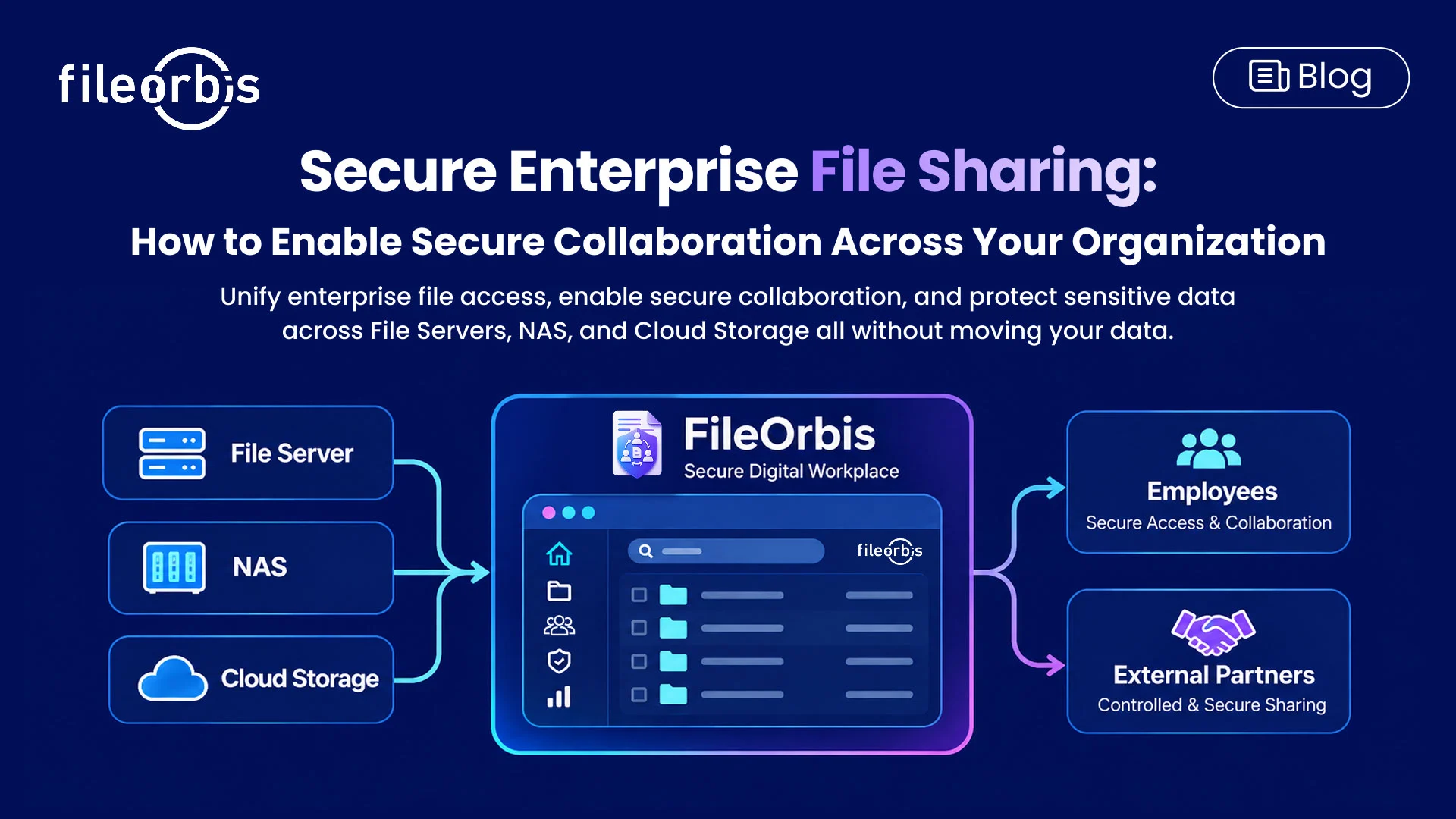
Secure Enterprise File Sharing: How to Enable Secure Collaboration Across Your Organization
As enterprise files become increasingly distributed across on-premises servers, NAS devices, cloud storage, and collaboration platforms, secure enterprise file sharing is essential for protecting sensitive information while enabling convenient access.
Traditional file-sharing methods often create security gaps, especially when organizations work with external partners or manage multiple storage environments.
Secure enterprise file sharing addresses these challenges by combining accessible collaboration with consistent security controls and file management.
What is Secure Enterprise File Sharing?
Secure enterprise file sharing enables authorized users to access, exchange, and collaborate on business files under defined security policies.
Unlike basic file transfer services, enterprise file sharing solutions must support existing access permissions, organizational compliance requirements, and sensitive content protection.
The goal is to enable productive collaboration without losing control over enterprise information.
Common Enterprise File Sharing Security Challenges
Organizations managing distributed file environments frequently encounter the following challenges:
- Fragmented Storage: Files across disconnected repositories complicate access and administration.
- Excessive Permissions: Outdated access rights can expose information to users who no longer require it.
- Uncontrolled External Sharing: Email attachments, unrestricted links, and unmanaged transfers increase the risk of exposure.
- Shadow IT: Employees may use unauthorized services when approved file-sharing methods are inconvenient.
- Limited Visibility: Disconnected sharing tools make file activities difficult to monitor.
These challenges highlight the need for security controls that work across existing enterprise environments.
Core Capabilities of Secure Enterprise File Sharing Solutions
An effective secure enterprise file sharing solution should provide several capabilities.
- Unified Access to Enterprise Files
Employees should be able to work with files across different storage environments through a consistent interface, reducing dependency on disconnected tools.
Access to files should reflect user identities, organizational policies, and existing permissions. Controls should distinguish between viewing, editing, sharing, and downloading.
- Content-Aware Data Protection
Security policies should consider the information contained within files, not just their location or the identity of the recipient.
Content inspection and data protection controls can help restrict sensitive information before it leaves the organization.
- Secure External File Sharing
Organizations should be able to establish conditions for sharing information with customers, partners, and suppliers.
Key controls include:
- View-only access and download restrictions
- Expiring and password-protected links
- Approval workflows
- Watermarking and access revocation
- Remote Access and Auditability
Authorized employees need secure access from different locations, while security teams require visibility into file activity.
Solutions should support controlled remote connectivity and maintain records of access, sharing, and downloads.
How FileOrbis Helps
FileOrbis Secure Digital Workplace brings file access, security controls, and collaboration together across existing enterprise storage infrastructure.
Instead of requiring data migration, FileOrbis connects on-premises file servers, NAS devices, and cloud storage through a unified access layer.
Organizations can use FileOrbis to:
- Enable VPN-Less File Access: Provide remote employees with controlled access to authorized enterprise files.
- Manage Sensitive Sharing: Apply content-aware policies, security integrations, and approval requirements.
- Support Document Collaboration: Enable file previews, co-editing, and collaborative workflows.
- Exchange Large Files: Support secure transfers of technical files and large documents.
- Integrate Security Monitoring: Connect file activity events with existing enterprise security systems.
- Establish Virtual Data Rooms: Create controlled spaces for confidential collaboration with external stakeholders.
These capabilities help organizations expand secure file collaboration in distributed environments while continuing to use their existing storage investments.
In Summary
Secure enterprise file sharing goes beyond simply transferring documents between users. Organizations need a consistent approach to managing distributed file access, managing collaboration, and protecting sensitive information.
FileOrbis Secure Digital Workplace helps bring these requirements together without requiring organizations to replace their existing storage infrastructure.
Learn more about FileOrbis Secure Digital Workplace.
Frequently Asked Questions
- What is the difference between basic file sharing and secure enterprise file sharing?
Basic file sharing focuses on exchanging files. Secure enterprise file sharing adds permission management, controlled collaboration, content protection, and auditability.
- Can secure enterprise file sharing work without data migration?
Yes. Solutions that integrate with existing storage systems can provide unified file access and collaboration without moving files into a new repository.
- How does FileOrbis Secure Digital Workplace improve enterprise collaboration?
FileOrbis connects distributed file environments and supports remote access, content-aware protection, document collaboration, and controlled external sharing through a unified platform.

Faris Suleiman
Presales Manager, KSA & Egypt
Subscribe to our Newsletter
About FileOrbis
Aiming to manage the user and file relationship within an institutional framework, FileOrbis is constantly being developed in order to meet different industry and customer needs in terms of file management and sharing. Since 2018, FileOrbis continues to be developed with the excitement of the first day. FileOrbis focuses on high security, rich integration, ease of use and integrated management criteria.