
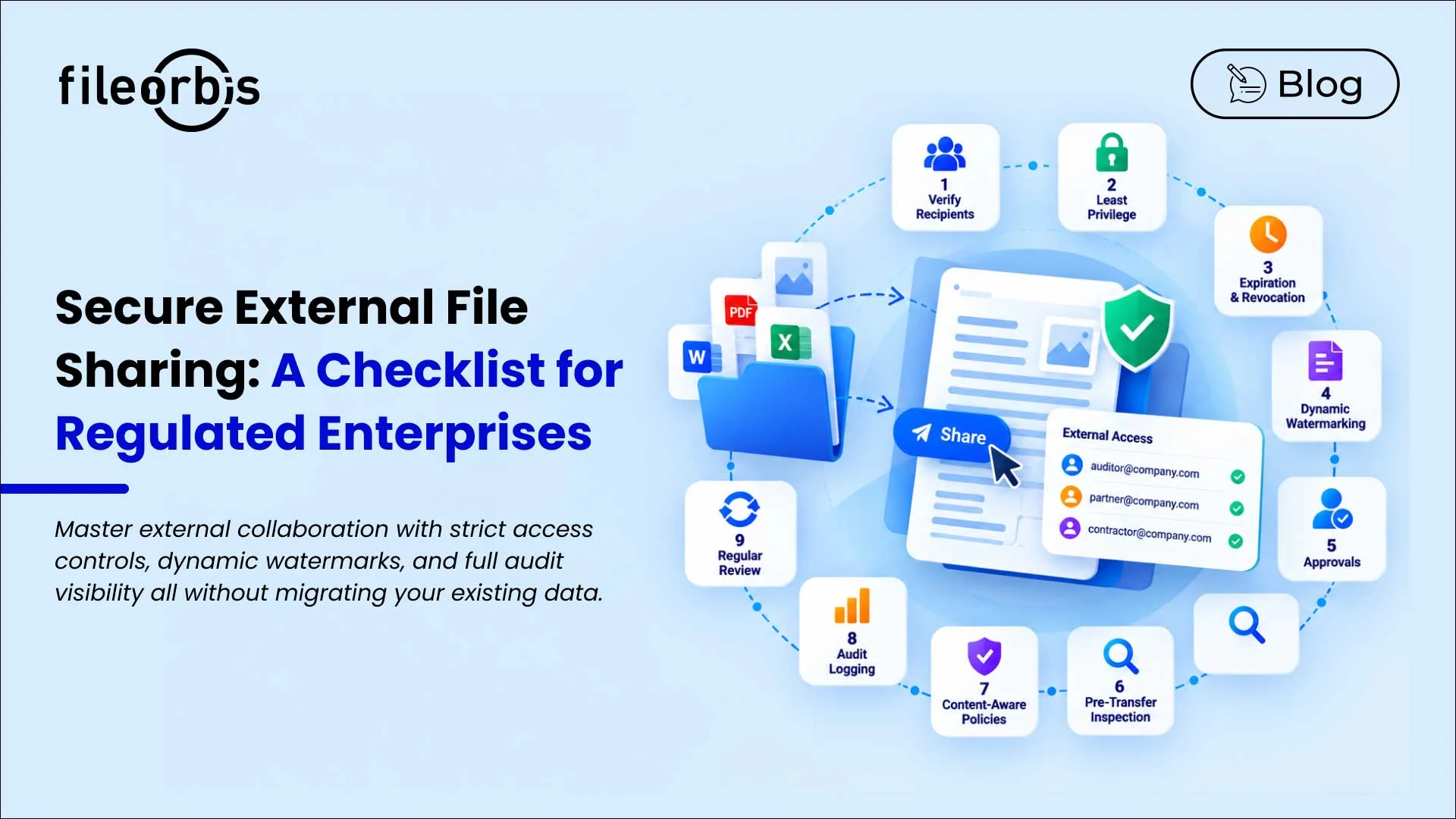
Secure External File Sharing: A Checklist for Regulated Enterprises
External collaboration is inevitable. Enterprises regularly share their financial records, contracts, technical documentation, customer information, and other sensitive files with auditors, contractors, suppliers, and business partners.
However, the real challenge is maintaining control once a file crosses organizational boundaries.
For regulated businesses, secure external file sharing requires control over who receives the file, what they can do with it, how long access remains open, and how the sharing activity is logged for audit purposes.
This checklist covers essential controls that organizations should evaluate when implementing secure external file sharing.
Secure External File Sharing Checklist
Verify External Recipients
External access should be linked to a known identity rather than simply having a sharing link.
Consider:
- Named recipients
- Recipient authentication
- Verified email addresses
- One-time authentication where appropriate
- Multi-factor authentication (MFA) for sensitive information
- Identity-based access log
The goal is to ensure that only the intended recipient can access the shared content.
Apply the Least Privileged Access Principle
External users should only have access necessary for a specific business purpose.
Controls may include:
- Restricting access to specific files or folders
- Separate internal and external permissions
- View-only access
- Different policies depending on data sensitivity
- Download, print, or copy restrictions
For example, a supplier needing a document should not gain unnecessary access to the surrounding repository.
Set Up Expiration and Revocation Controls
In addition, external access should not remain available indefinitely. Organizations should support:
- Connection expiration dates
- Project-specific access durations
- Timed access
- Automatic access termination
- Immediate manual revocation
These controls reduce the risk of forgotten or outdated external access.
Apply Watermarks to Sensitive Documents
Dynamic watermarking can enhance accountability when sensitive documents are viewed, printed, or downloaded. Watermarks can include:
- Recipient name
- IP address
- Email address
- Date and time
This helps prevent unauthorized redistribution and supports traceability if information is shared beyond the intended audience.
Approval Requirement for High-Risk Sharing
However, internal access permission to a file should not automatically imply external sharing permission. Approval can be triggered based on the following criteria:
- File location
- File content or classification
- User or department
- Recipient or sharing target
- Organizational policy
As a result, content-aware approval allows low-risk sharing to proceed, while directing sensitive transfers to additional authorization.
Control Files Before Transferring Them
Security controls should evaluate files before they cross organizational boundaries.
Depending on the environment, this may include:
- Antivirus and malware detection
- Sandbox analysis
- File type validation
- Content Disarm and Reconstruction (CDR)
- DLP inspection
This helps organizations address both malicious files and sensitive information before external transfer.
Apply Content-Aware Sharing Policies
However, not every document requires the same level of protection. A public brochure and a customer database should not adhere to the same sharing rules.
Depending on the content, classification, and context, policies can:
- Allow sharing
- Block sharing
- Require approval
- Apply encryption
- Restrict downloads
- Add watermarks
- Trigger additional security controls
These shifts secure external file sharing from user-defined settings to policy-driven implementation.
Maintain Detailed Audit Logging
In addition, organizations should be able to recreate external sharing activities as needed.
Audit records should show:
- Who shared the file
- What was shared
- Who received access
- When access occurred
- Whether approval was required
- Which policy was applied
- Whether the file was viewed or downloaded
- When access ended or was revoked
Searchable and exportable audit records help security, compliance, and legal teams investigate activities and gather evidence.
Reviewing and Removing External Access
Finally, management should continue even after files are shared. Organizations should periodically review:
- Active external connections
- Guest and contractor access
- Unused access permissions
- Expired projects
- Policy exceptions
Access should be removed when the business requirement ends, rather than remaining available indefinitely.
What Compliance Evidence Do You Need to Provide?
For example, regulated organizations may be required to demonstrate that external sharing is authorized, monitored, and controlled.
Useful evidence may include:
- Verified recipient identity
- File classification at the time of sharing
- Sharing and expiration dates
- Approved security policies
- Approval decisions and approver identity
- Authentication events
- Viewing and downloading activity
- Revocation history
- Policy exceptions
- Security audit results
However, the exact evidence requirements depend on the organization, industry, jurisdiction, and applicable regulatory framework.
How FileOrbis Helps
FileOrbis allows enterprise data to remain intact across existing on-premises, cloud, M365, and hybrid environments, while implementing governance and security controls for external collaboration.
In addition, organizations can integrate content-aware classification, approval workflows, least privileged access, controlled external links, security audits, watermarking, revocation, and audit logs under policy-driven governance.
This approach enables organizations to govern external file sharing without requiring sensitive data to be migrated to a separate repository.
In Summary
Secure external file sharing requires more than just encryption or password-protected connections. Controls should cover the entire sharing lifecycle:
- Verify
- Authorize
- Inspect
- Protect
- Share
- Monitor
- Revoke
- Audit
Frequently Asked Questions
What should secure external file sharing include?
It should combine elements such as recipient authentication, least privileged access, expiration, policy enforcement, content inspection, approval, revocation, and audit logging.
Why are approval workflows important for external sharing?
Approval workflows create a documented control point before sensitive information leaves the organization and help ensure high-risk transfers receive appropriate authorization.
Can businesses control external sharing without migrating existing files?
Yes. FileOrbis enables organizations to govern data where it already lives by implementing governance and secure sharing controls on existing file environments.

Emre Demiray
Founder – FileOrbis
Subscribe to our Newsletter
About FileOrbis
Aiming to manage the user and file relationship within an institutional framework, FileOrbis is constantly being developed in order to meet different industry and customer needs in terms of file management and sharing. Since 2018, FileOrbis continues to be developed with the excitement of the first day. FileOrbis focuses on high security, rich integration, ease of use and integrated management criteria.