
SFTP DLP Integration: How to Secure Sensitive File Transfers
Secure File Transfer Protocol (SFTP) protects files through encryption and authenticated access. However, it doesn’t inherently inspect file contents or determine whether sensitive information should be shared with a particular target. SFTP DLP integration adds content inspection and policy enforcement capabilities to secure file transfer workflows, helping businesses prevent unauthorized data transfers and protect established business processes.
What is SFTP DLP Integration?
SFTP DLP integration combines Secure File Transfer Protocol with Data Loss Prevention (DLP) capabilities to identify sensitive information and enforce security policies during file transfers.
This approach enables organizations to:
- Detect sensitive content: Identify personal information, regulated records, and financial data.
- Control file transfers: Allow, quarantine, or block files according to defined policies.
- Monitor transfer activity: Record file movements and security decisions for auditing.
- Maintain automated workflows: Apply content-aware controls to scheduled and application-driven transfers.
Why Traditional SFTP Is Not Enough
While SFTP provides encrypted communication, several risks remain when enterprises exchange confidential information.
- Limited Content Visibility
SFTP cannot independently determine whether a file contains restricted information. As a result, an authenticated transfer could violate an organization’s data protection policies.
- Disconnected Security Tools
When DLP solutions and file transfer systems operate separately, enforcing consistent policies and investigating security incidents becomes more complex.
- Risks in Automated Transfers
Scheduled SFTP jobs often exchange files between internal applications, external partners, and third-party systems. Incorrect configurations or unexpected file contents can expose sensitive information without additional inspection controls.
How SFTP DLP Integration Works
An integrated architecture introduces content control to the file transfer process.
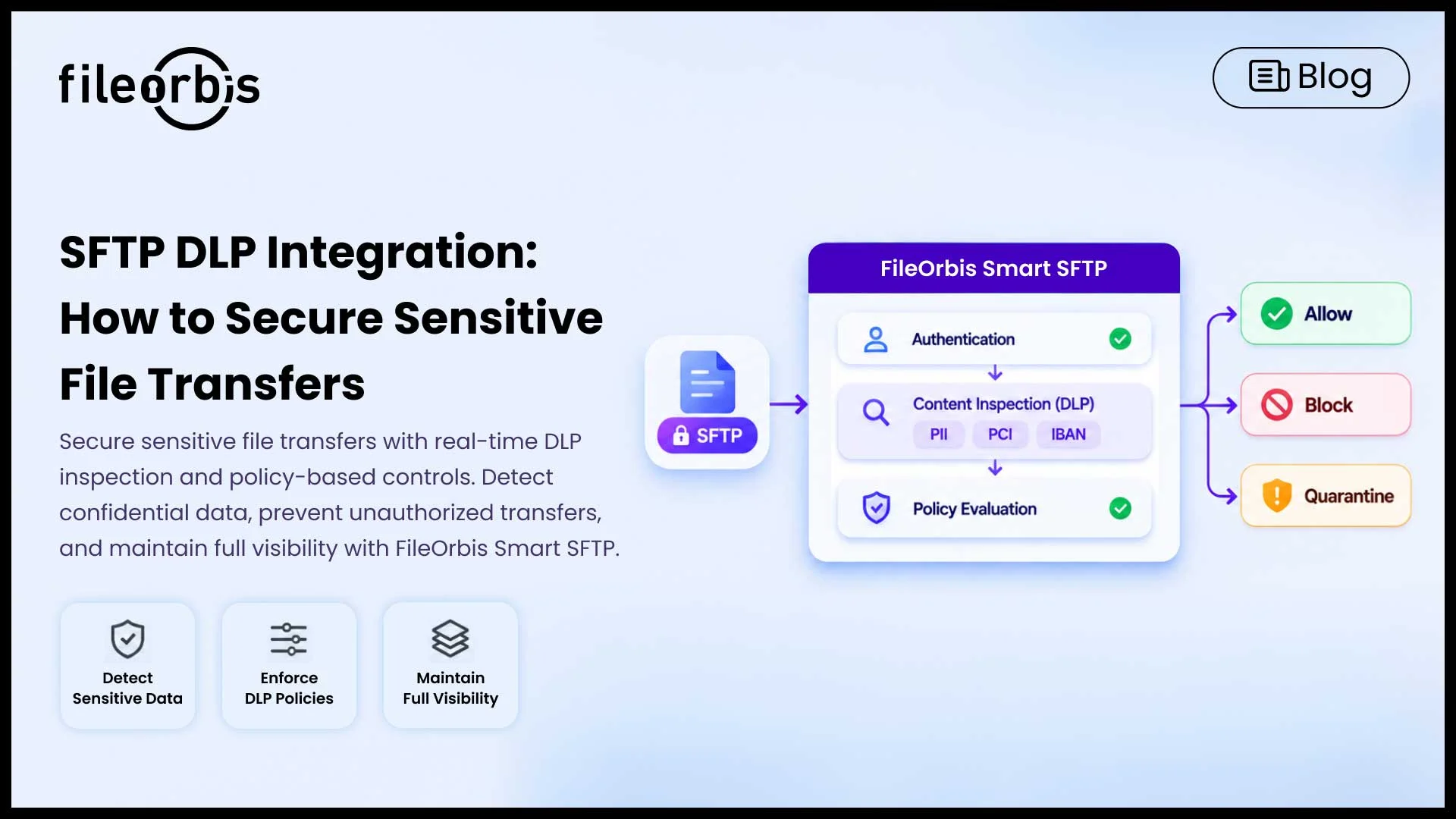
A typical workflow follows these steps:
- Authentication: Verify the user or application initiating the transfer.
- Evaluation: Analyze the file content for sensitive information.
- Inspection: Compare the detected content against configured DLP policies.
- Implementation: Allow, quarantine, or block the transfer based on the policy results.
- Logging: Record the transfer activity and security decisions for auditing.
Inspection typically takes place in a trusted transfer gateway or processing environment where the file content is available for analysis.
Key Benefits of SFTP DLP Integration
Integrating DLP with SFTP helps enterprises strengthen data protection while maintaining efficient file exchanges between internal systems and external partners.
Key benefits include:
- Consistent Security Policies: Apply standardized data protection rules to manual and automated file transfers.
- Reduced Data Leakage Risk: Prevent sensitive information from reaching unauthorized recipients or destinations.
- Improved Compliance Readiness: Maintain traceable transfer records and policy decisions to support regulatory audits.
- Operational Efficiency: Reduce manual security controls through automated content inspection and policy enforcement.
- Secure Partner Collaboration: Exchange confidential business information with external organizations under defined security controls.
How FileOrbis Helps
FileOrbis Smart SFTP helps organizations protect sensitive information across enterprise systems and external exchanges by combining secure file transfer capabilities with content-aware security controls.
Its capabilities include:
- Content-Aware Policy Enforcement: Block or quarantine transfers that violate defined security policies.
- Real-Time DLP Inspection: Detect sensitive information, including PCI data, PII, and IBAN details, during file transfers.
- Advanced Threat Protection: Integrate with sandboxing, antivirus, and Content Disarm and Reconstruction (CDR) solutions through ICAP.
- Multi-Protocol Support: Connect SFTP, HTTPS, FTPS, and WebDAV workflows with enterprise repositories such as NAS, SharePoint, Azure Blob Storage, and Amazon S3.
- HSM-Backed Encryption: Support additional encryption controls for sensitive file exchange.
- Existing Infrastructure Integration: Extend secure transfer capabilities across existing storage environments without requiring data migration.
- Centralized Audit Logging: Monitor file transfer activity and forward security events to SIEM platforms.
These capabilities help enterprises strengthen file transfer security and maintain visibility across manual and automated exchanges.
Learn more about FileOrbis Smart SFTP
In Summary
SFTP DLP integration extends encrypted file transfers with content-aware protection, allowing businesses to implement security policies based on the information exchanged.
With FileOrbis Smart SFTP, organizations can integrate DLP inspection, threat protection, and centralized monitoring into their existing file transfer environments.
Frequently Asked Questions
Can DLP inspect encrypted SFTP transfers?
Yes. DLP can inspect files on a trusted transfer gateway or processing environment after the encrypted connection has terminated and the content becomes available for inspection.
Does SFTP provide built-in DLP?
No. Standard SFTP provides encryption and authentication but does not include native content classification or DLP policy enforcement.
How Does FileOrbis Help with SFTP DLP Integration?
FileOrbis Smart SFTP enables SFTP DLP integration through real-time content inspection, policy enforcement, and threat protection. Centralized audit logging and SIEM integration help organizations monitor transfers and protect sensitive data.

Gamze Karslı
Head of Marketing
Subscribe to our Newsletter
About FileOrbis
Aiming to manage the user and file relationship within an institutional framework, FileOrbis is constantly being developed in order to meet different industry and customer needs in terms of file management and sharing. Since 2018, FileOrbis continues to be developed with the excitement of the first day. FileOrbis focuses on high security, rich integration, ease of use and integrated management criteria.