
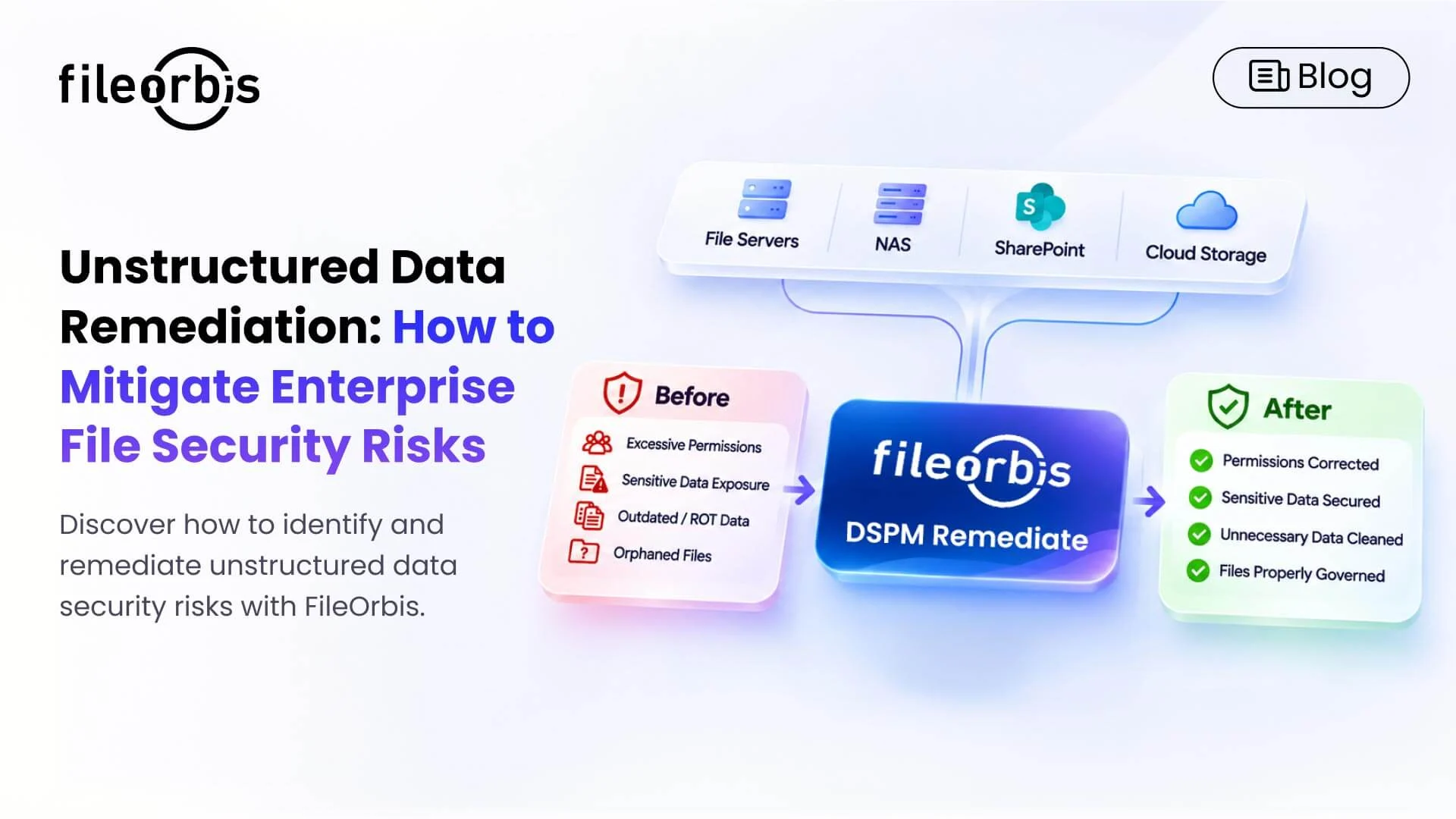
Unstructured Data Remediation: How to Mitigate Enterprise File Security Risks
Enterprise files are distributed across file servers, NAS devices, SharePoint, and cloud storage. Over time, excessive permissions, unnecessary copies, and outdated access rights can expose sensitive information to unauthorized access.
Data Security Posture Management (DSPM) helps organizations discover these risks. However, identifying security vulnerabilities is only the first step.
Unstructured data remediation bridges the gap between detection and corrective action by addressing file-level security risks through data relocation, permission changes, and policy-driven workflows.
What is Unstructured Data Remediation?
Unstructured data remediation is the process of identifying, prioritizing, and remediating security risks affecting corporate files and documents.
Common remediation actions include:
- Sensitive data migration: Move confidential files to appropriately protected locations.
- Permission remediation: Remove excessive access rights and enforce the principle of least privilege.
- File protection: Apply additional security controls, such as encryption or quarantine, where required.
- Data cleanup: Archive or delete obsolete, redundant, and trivial (ROT) data according to retention policies.
- Access revocation: Remove outdated or redundant user permissions.
These actions help organizations reduce the risk of exposure while maintaining appropriate access to business-critical information.
Why Unstructured Data Requires Remediation
Unstructured data often resides across multiple storage environments with inconsistent permissions and limited visibility into sensitive content.
Common security issues include:
- Misplacement of sensitive data: Confidential documents are stored in folders with broad access.
- Excessive permissions: Users have access beyond their business responsibilities.
- Outdated data: Unnecessary files increase the amount of information requiring protecting.
- Orphaned files: Files lack clear ownership, making access management and security control difficult.
How Unstructured Data Remediation Works
Discovering and Classifying Sensitive Data
Identify sensitive information in enterprise repositories using content-aware discovery and AI-based classification.
This helps security teams locate personal information, confidential documents, and other business-critical files.
Analyze Permissions and Access
Evaluate existing access rights to identify excessive permissions, inappropriate sharing, and inherited access issues.
Access findings based on the following criteria:
- Existing access permissions and risks.
- Data sensitivity and regulatory importance.
- File age and activity.
- Storage location and business context.
Prioritization helps teams address the most significant risks first.
Apply Controlled Remediation Actions
Correct permissions, revoke unnecessary access, relocate sensitive files, or enforce retention policies.
Policy-driven automation can execute repeatable actions at scale, while approval workflows help control changes that could affect business operations.
Verify and Audit Changes
Verify that the remediation actions address the identified risks and maintain audit records of completed changes.
The Importance of Automated Data Remediation
Manual remediation becomes increasingly difficult as enterprises manage millions of files across distributed environment
Automated data remediation helps organizations:
- Reduce administrative workload: Minimizes repetitive permission management and cleanup tasks.
- Accelerate risk mitigation: Resolves multiple security findings through coordinated actions.
- Enforce consistent policies: Applies standardized controls across supported repositories.
- Improve auditability: Tracks corrective actions and their outcomes.
By combining automation with appropriate auditing, organizations can increase remediation efficiency without compromising operational control.
How FileOrbis Helps
FileOrbis DSPM Remediate helps enterprises directly identify, prioritize, and remediate unstructured data security risks in their existing file environments.
The platform combines permission analysis, AI-based classification, and policy-driven remediation to support the transition from risk detection to corrective action.
Key capabilities include:
- Sensitive Data Discovery: Identify and classify sensitive information in supported enterprise repositories.
- Permission Risk Analysis: Identify excessive access rights and overexposed files.
- Direct Permission Remediation: Remediate unnecessary access rights in existing file environments.
- Risk-Based Prioritization: Evaluate findings based on sensitivity, permissions, and exposure.
- Automated Data Relocation: Move sensitive documents to appropriately protected locations.
- Batch Remediation: Apply corrective actions to multiple findings through policy-driven workflows and approvals.
- ROT and Dark Data Cleanup: Identify obsolete information for controlled archiving or deletion.
- Quarantine and Encryption: Isolate high-risk files and apply encryption to sensitive content according to security policies.
- Continuous Monitoring and Auditing: Track changes and maintain remediation logs.
FileOrbis works on existing infrastructure, enabling organizations to address file-level security risks without requiring repository migration.
In Summary
Unstructured data remediation helps enterprises move beyond identifying security risks and instead remediate them.
By combining automated remediation, risk-based prioritization, and file-level governance, organizations can reduce sensitive data exposure and strengthen their security posture.
FileOrbis DSPM Remediate helps this approach by enabling controlled remediation directly on existing enterprise file environments.
Frequently Asked Questions
What is the difference between DSPM and unstructured data remediation?
DSPM helps organizations discover, assess, and manage data security risks. Unstructured data remediation focuses on correcting identified weaknesses through permission changes, data cleanup, and file relocation.
Can unstructured data remediation be automated?
Yes. Policy-driven workflows can automate corrective actions, including sensitive file relocation, permission remediation, and data cleanup, while maintaining approval controls where necessary.
How does FileOrbis help unstructured data remediation?
FileOrbis DSPM Remediate identifies and corrects file-level security risks through permission remediation, AI-based classification, and automated workflows, without requiring repository migration.

Gamze Mat
Product Manager
Subscribe to our Newsletter
About FileOrbis
Aiming to manage the user and file relationship within an institutional framework, FileOrbis is constantly being developed in order to meet different industry and customer needs in terms of file management and sharing. Since 2018, FileOrbis continues to be developed with the excitement of the first day. FileOrbis focuses on high security, rich integration, ease of use and integrated management criteria.